How to livestream Around the Bay 2026 50km ride
Last year on a whim, I completed the Around the Bay 100km route. However this year I wasn’t feeling like my back and body could sustain that distance so decided on entering the 50km. A 50km ride to some people might sound like quite a distance, however once you’ve spent a little time on a bike it’s actually a fairly easy distance to accomplish. Most people can ride at 20km/h which means that as long as you can sit on a bike for 2.5 hours, a 50km ride is very doable. It’s the kind of ride I wouldn’t usually think about doing any preparation for.
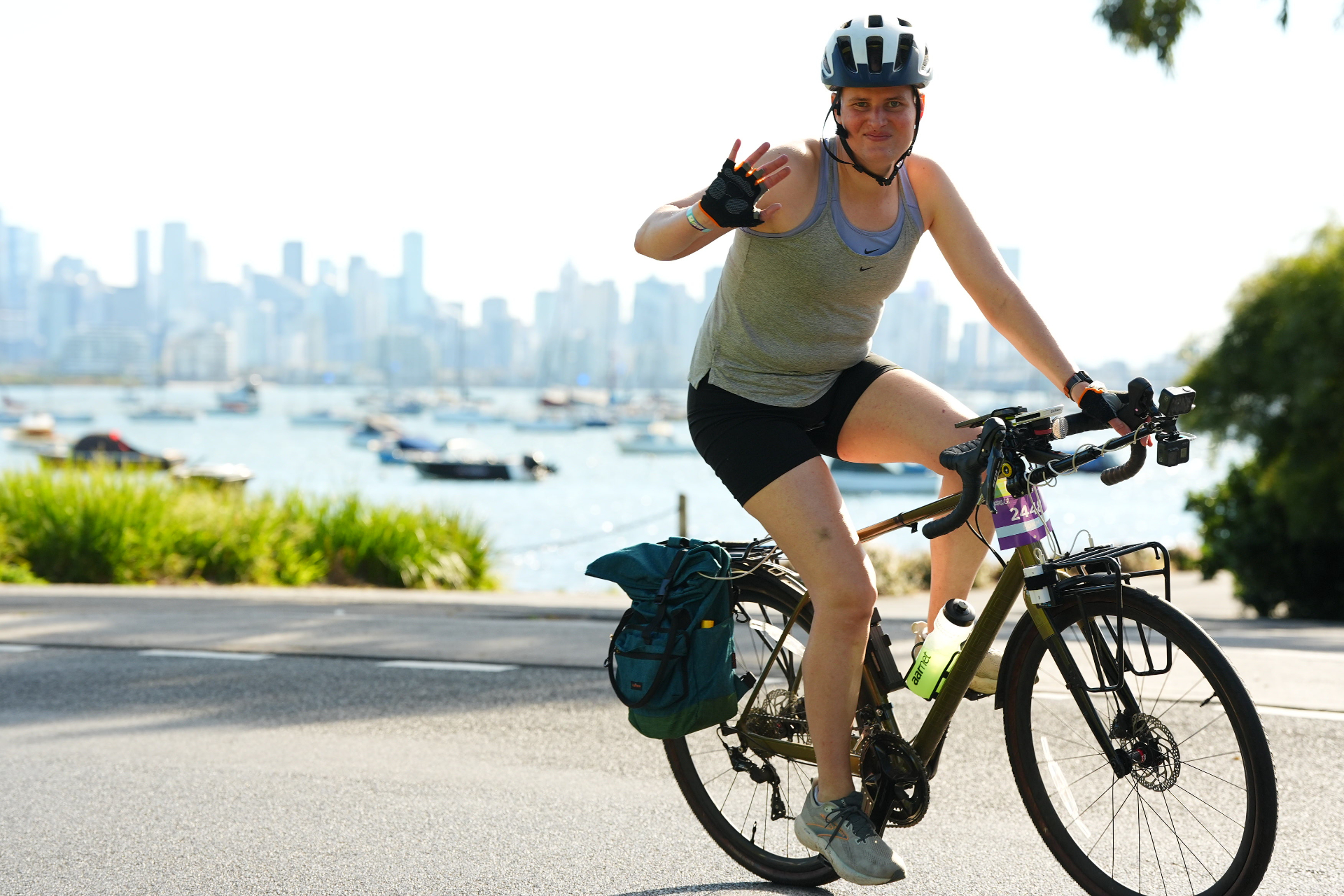
So when I signed up, I thought about ways I could do it to make it a bit more interesting, and one idea I had was attempting to livestream the entire ride. How hard could it be? Well, it resulted in what I call the “GoPro jousting stick”.
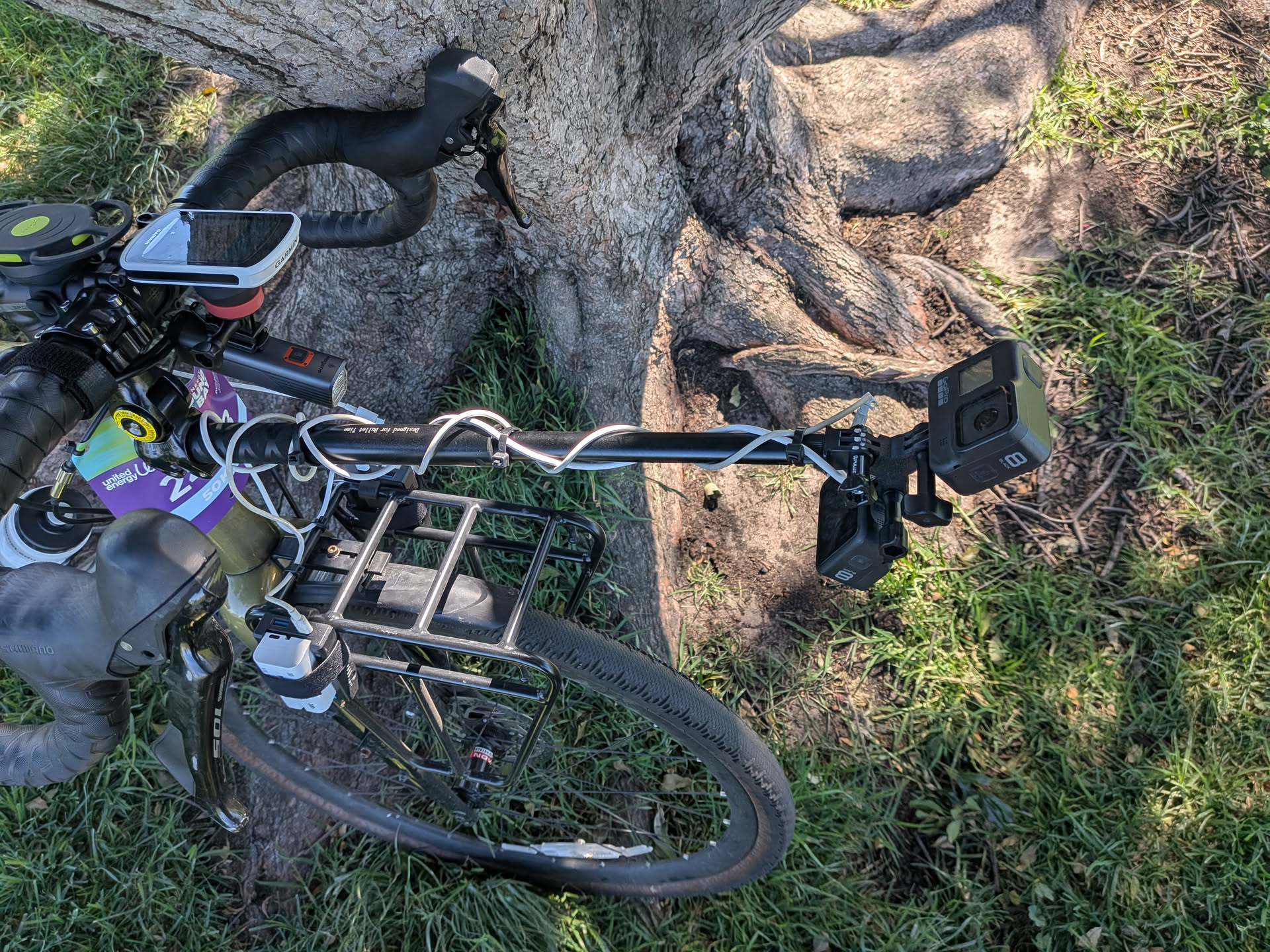
Prior to making this decision, I had previously streamed a few of my work commutes since the ride along the river is so nice in the morning and evenings. This gave a me good idea of some of the challenges involved and I had already refined that setup a bit.
Streaming methods
Let’s run through some of the ways of streaming a bicycle ride:
Lazy approach
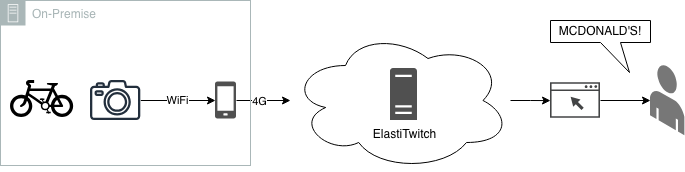
- GoPro 8 (what I have in stock) - live streaming does not recover from faults, it will end the stream on connection loss. Even if the stream doesn’t end, a temporary period of low bandwidth will make it drop back to the lowest bitrate and never come back
- No overlays to show stats like speed, heart rate or a map
- Only supports a single camera
- GoPro 8 do not support rotating the camera output for livestreams - this can be a problem if the camera is mounted upside down (a necessity if it’s under something)
Multi track drifting
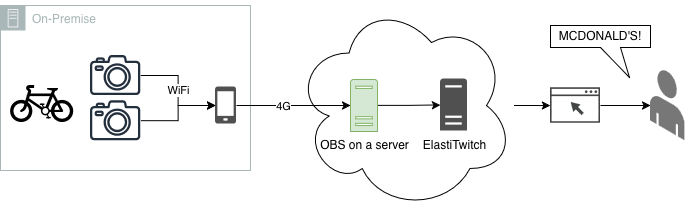
- We still have the issue with GoPros disconnecting / reducing bitrate
- We’ve also now doubled the amount of bandwidth required for the already limited 4G link
On bike OBS
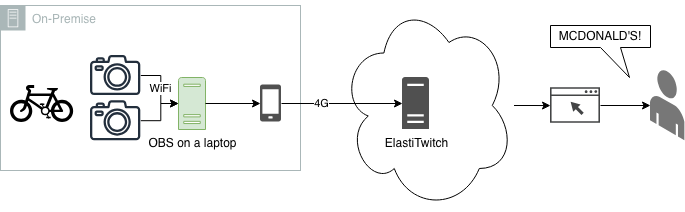
- Lugging a laptop around for 50km (I probably wouldn’t have done this on the 100km)
- Having to power and cool a laptop streaming out for the duration of the ride
This last method is the one I went with. It also allowed some flexibility in changing the config during rest stops if needed - though in hindsight this would have been better done by someone else monitoring the stream.
I think in future I would combine this method with the one above to allow someone monitoring to adjust the stream due to faults - something I can’t do while riding.
Putting it all together
With the streaming method selected, let’s look at all the components along with how they performed on the day:
My Body
Most importantly, my body plays a big part in actually completing the ride. At the start of this post I mentioned that 50km wasn’t a big deal for me (and probably for you as well). Well, in the lead up to the event I got the sickest I think I’ve ever been in my life - and on multiple occasions I thought I might need to go to the hospital. I didn’t eat for 3 days. Even today I still have a cough that isn’t going away any time soon.
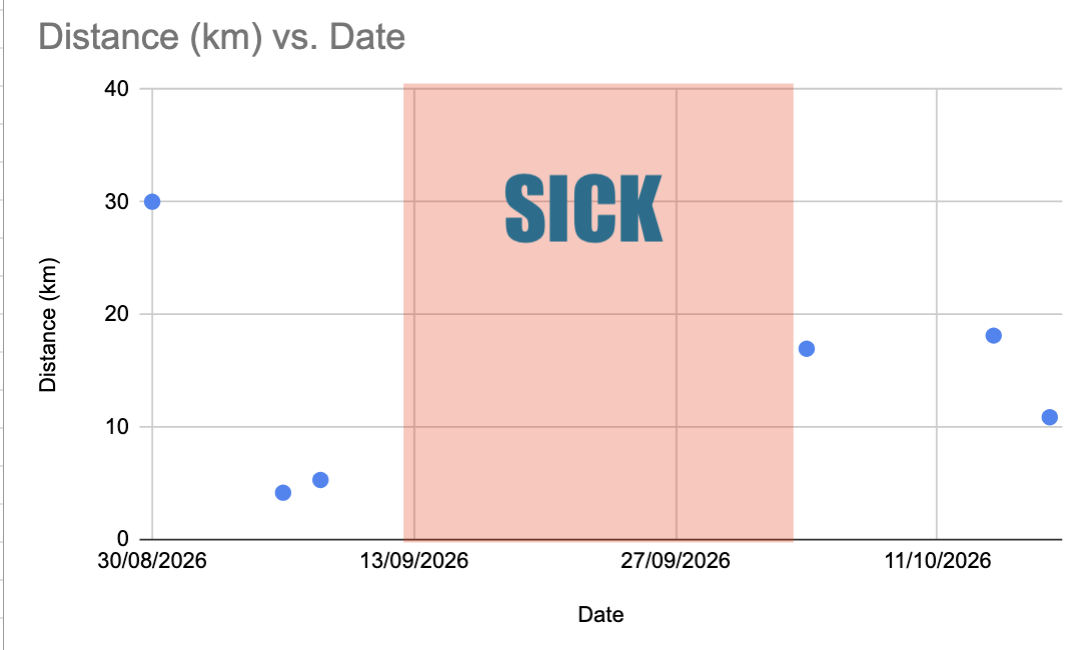
So we were really going into this with minimal training. I was originally aiming for a 25 km/h pace but decided to just approach it with whatever felt comfortable on the day.
Sunblock
Before we dive into the more technical aspects, I wanted to talk about the sun. The 50km event is one of the later starting times, but even still I had to get up fairly early so that I could ride to the event, set up the stream and get going. As I would be in the sun for most of the event, the plan was to apply sunscreen before I left.
The problem is that at 6am when applying the sunscreen I was still not quite awake. I focused on a lot of areas that I typically miss or are hard to reach. Somehow I missed two very obvious and normal spots on my arms. I can confidently say that sunscreen works from this inadvertent A/B test. In hindsight I should have taken some time to reapply sunscreen at one of the rest stops.
The bike
My bike is a Polygon Path X5. This bike is very easy to ride and with the front and rear racks I’ve added, has plenty of storage possibilities for the streaming equipment. Prior to the event, I adjusted the front dérailleur to fix a long standing issue I had with the low gears rubbing. I only made this adjustment because of the long uphill section of the West Gate Bridge.
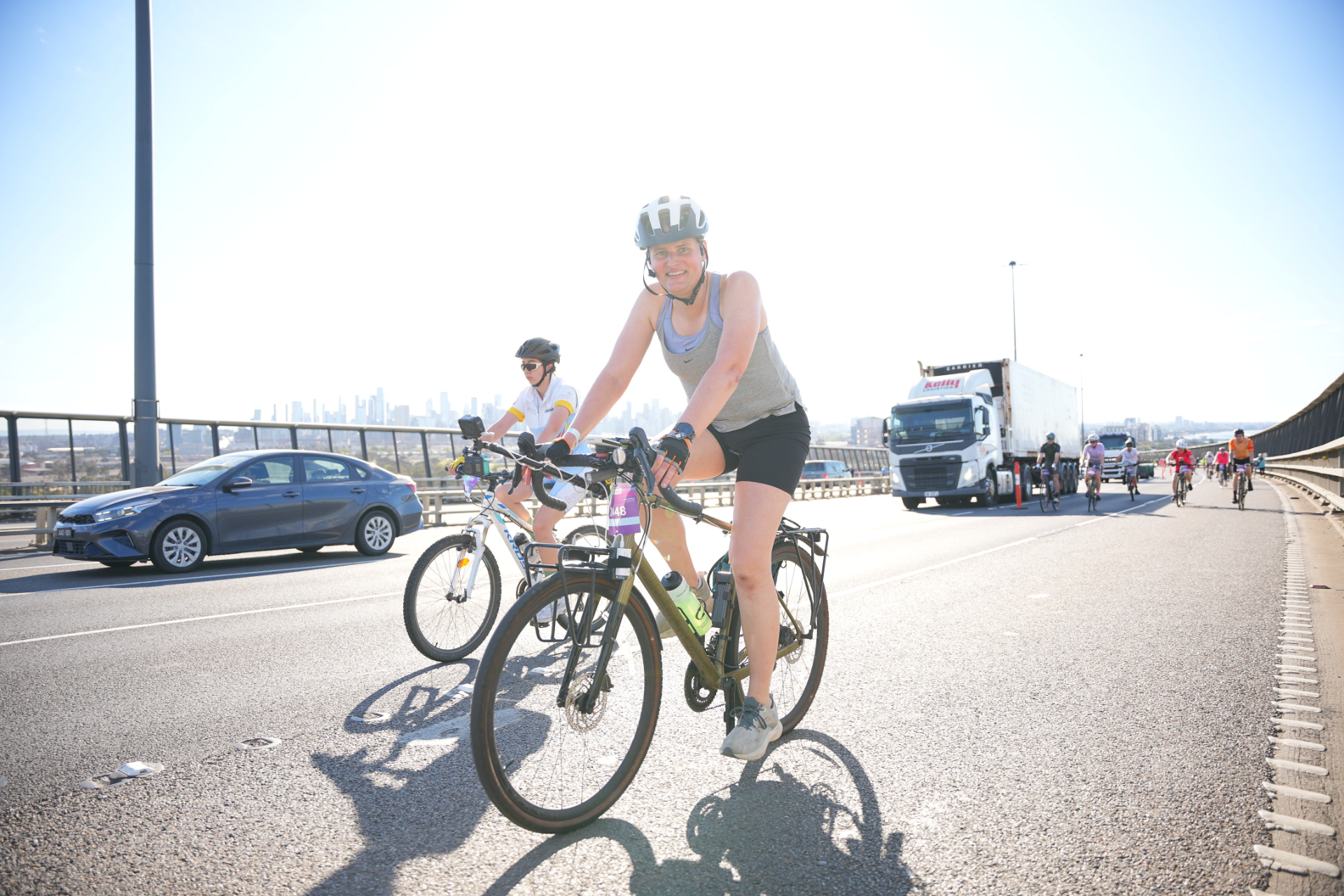
The bike held up well during the event with the exception of the rear tyre. Only fairly recently I had Schwalbe G-One RS PRO tyres installed.
I have not been impressed with these tyres. I’m not sure if it has been bad luck with debris, a bad batch of tyres, or if this range just isn’t very good for the cycling I do. This is in contrast to the Schwalbe G-One Overland 365 which I really enjoyed and found super reliable. Often in the mornings I see sealant oozing out of the sidewalls.
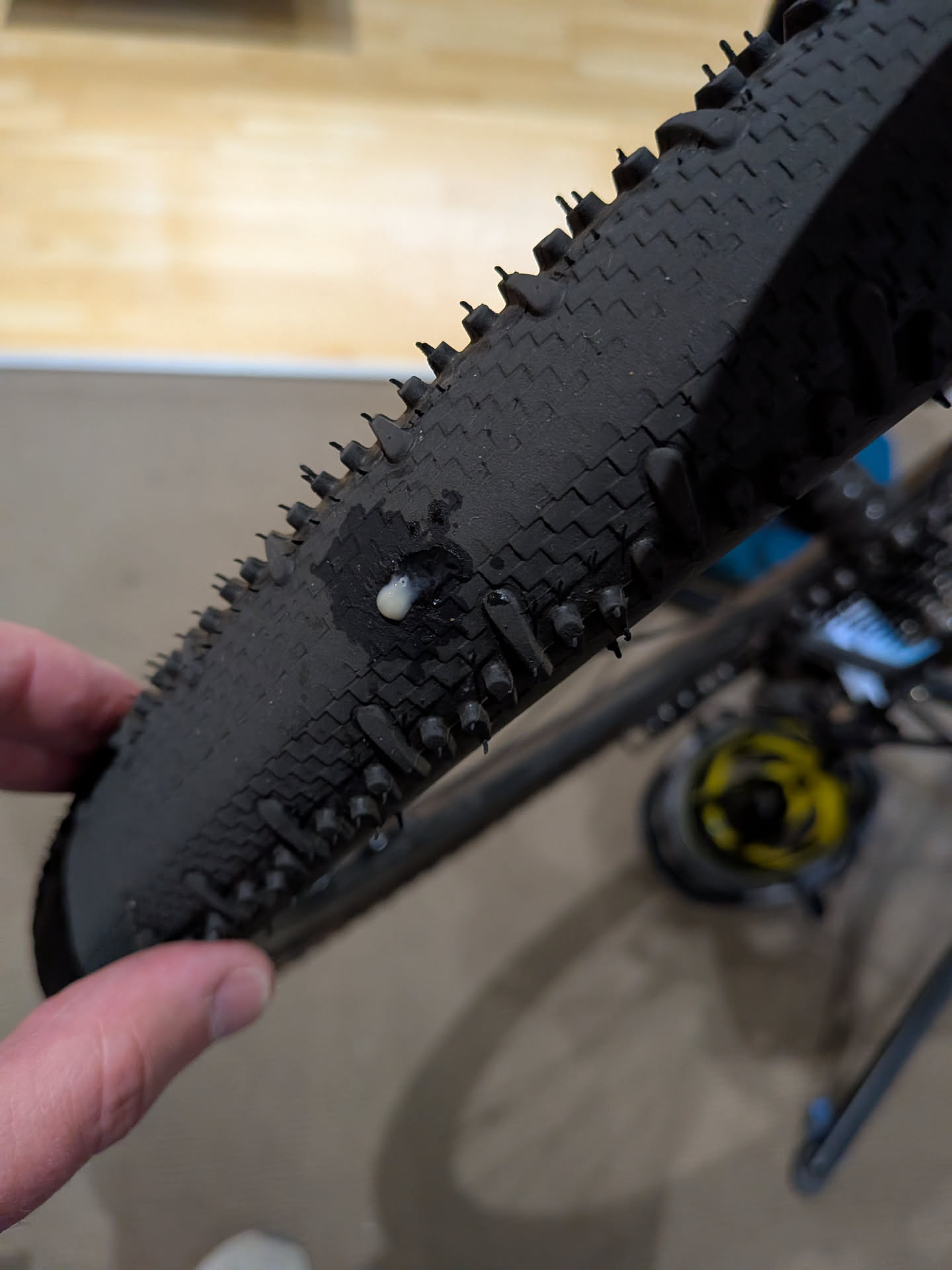
The day before the event I had a leak that the sealant was not filling very well. The tyre was holding pressure ok, so I left it overnight hoping it would seal. It mostly did, and in the morning before leaving I pumped the tyre up to full pressure.
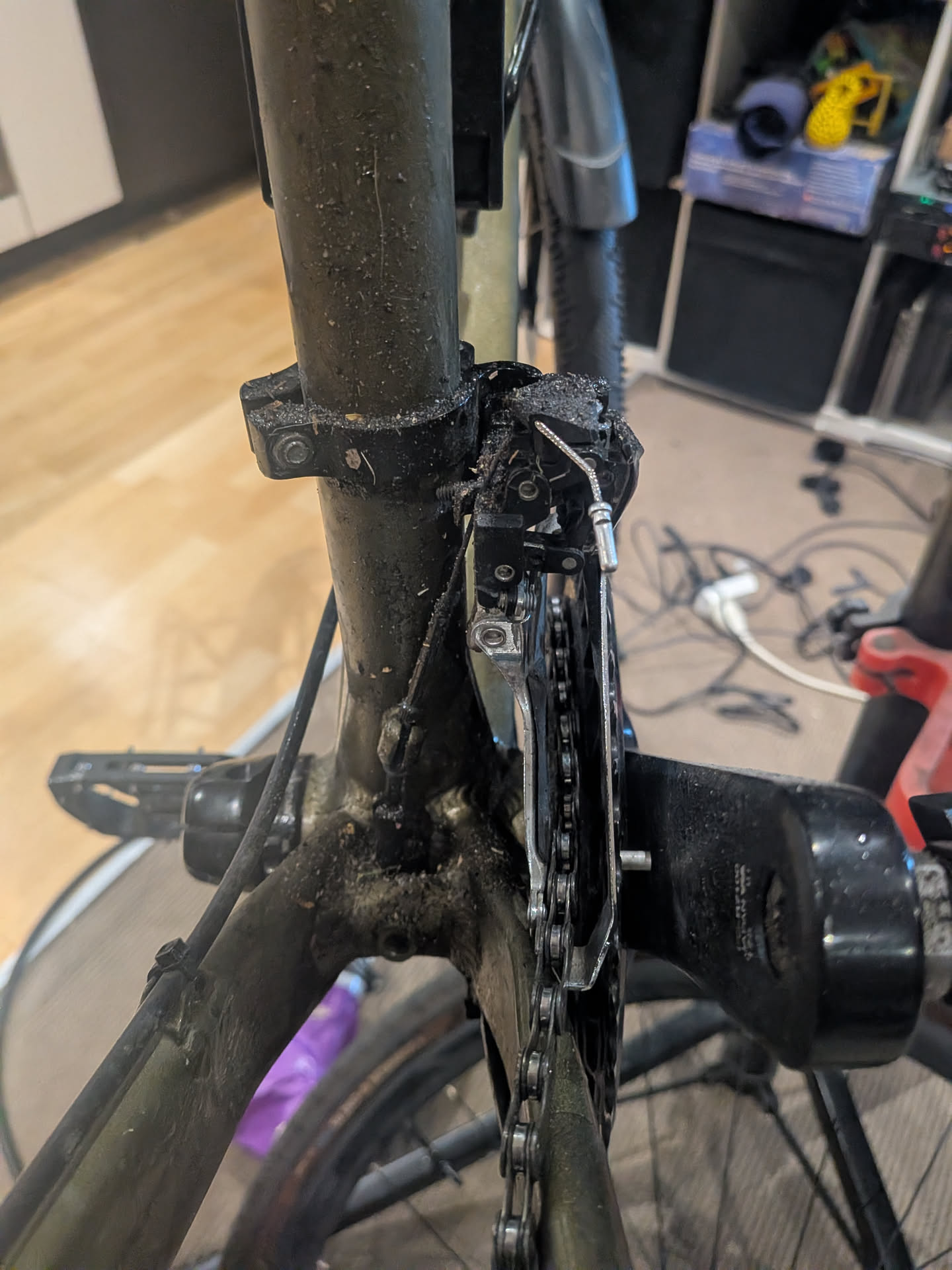
It seems, however, that during the event I picked up another puncture - as referring to pictures, there was a new leaking hole, and when I got home the rear of my bike frame and front dérailleur was covered in sealant that had leaked out while riding.
The internet
Getting the stream out to Twitch requires some form of internet. The organisers had told me that “no you can’t drag a VDSL copper line behind you the entire way”. The next best thing would be 4G. We also have 5G here in Australia, but in previous testing I found that the 5G cell coverage areas are fairly small and the handoff time to 4G seems quite slow, so forcing 4G increased reliability. This will likely change in the future.
To connect to 4G I just used my mobile phone, since I would be taking it regardless. A fancy router with two modems on different networks and multipath TCP would probably improve this setup - however I wanted to keep the complexity low and remove additional devices to carry. The Telstra coverage for the event is pretty good so I turned off my second Optus SIM to prevent handover problems and to reduce battery usage.
Using my phone for data poses another problem however. Android, for some bizarre annoying reason, decided to implement client isolation for the hotspot mode, and there is no way to disable it. This prevents the GoPros from connecting to the OBS server.
To overcome this I actually used USB tethering to the laptop and configured macOS for internet sharing.
Generally, coverage was pretty good for the event with one exception that I’ll get into later in the post.
I bought a phone holder specifically for the event, with the intent that I would occasionally look at the screen for Twitch messages, however it was far too busy to move my focus to the phone, even briefly. This setup did mean running a USB cable from my bag to my phone. I might leave the phone in the bag next time.
Laptop
I decided to use my MacBook for the OBS server. It seems a little silly when I could use a Raspberry Pi, but a laptop gives me a full debugging interface that I can access along the way. It also comes with a large battery.
Prior to starting the stream I did a fresh boot and closed all the unneeded apps. By default macOS will sleep on lid close, so running this command prevents that:
sudo pmset -a disablesleep 1
The weather turned out to be a fairly warm day, so the laptop got a little bit warmer than I expected - but it still worked fine and heat didn’t become a problem. The laptop is placed in my usual pannier bag with the USB cable running up to my phone.
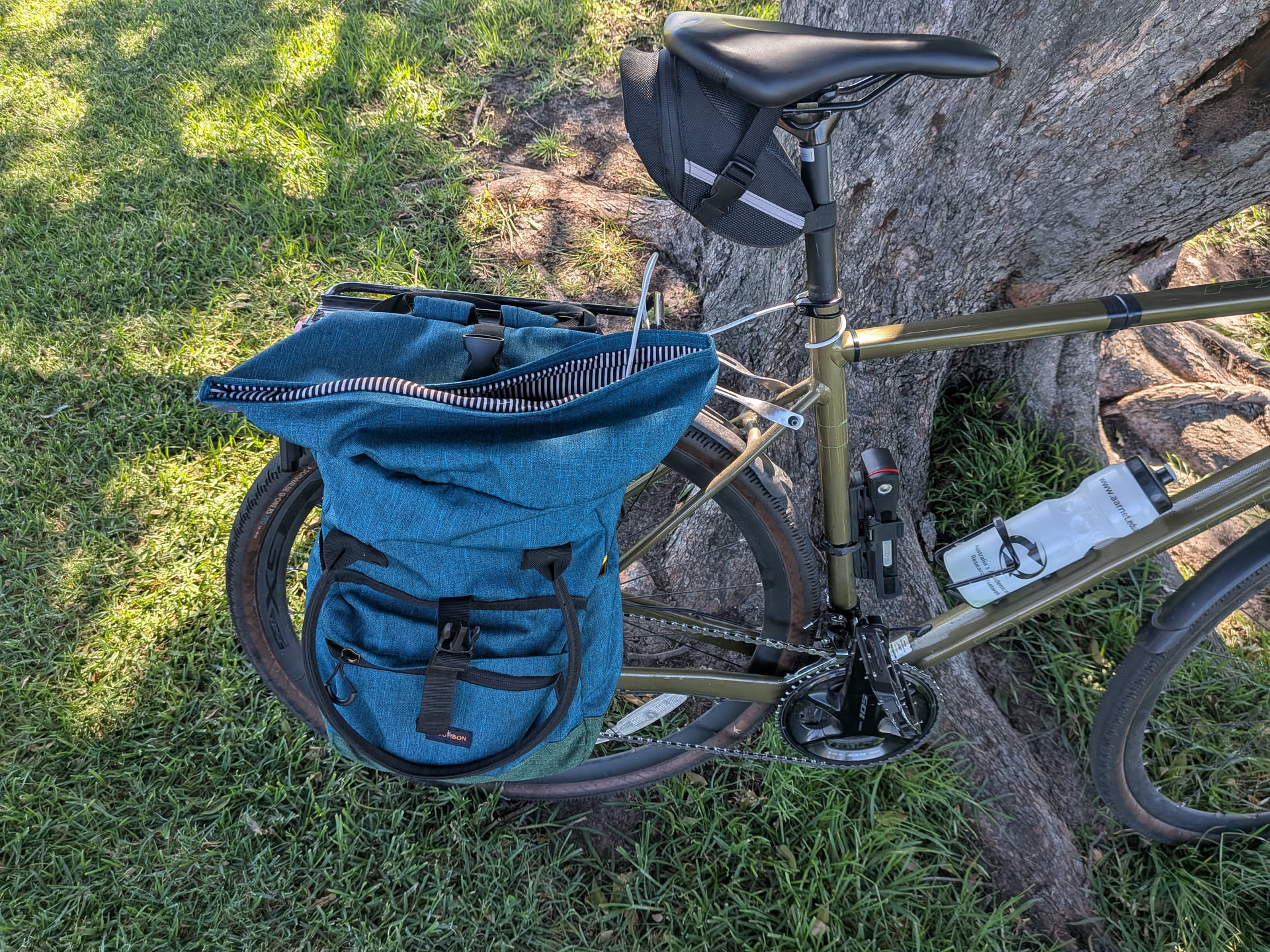
One thing to consider with this setup, however, is that the laptop will charge the phone. This will mean that the laptop is going to discharge its battery quicker than expected, leaving you with a flat laptop and full phone at the end of the event. To combat this, I also included a power bank to charge the laptop. At the end of the event my laptop was left with 10% battery, which was a lot lower than I was expecting.
In the future I’ll consider not using a laptop.
Overlays, OBS and Twitch
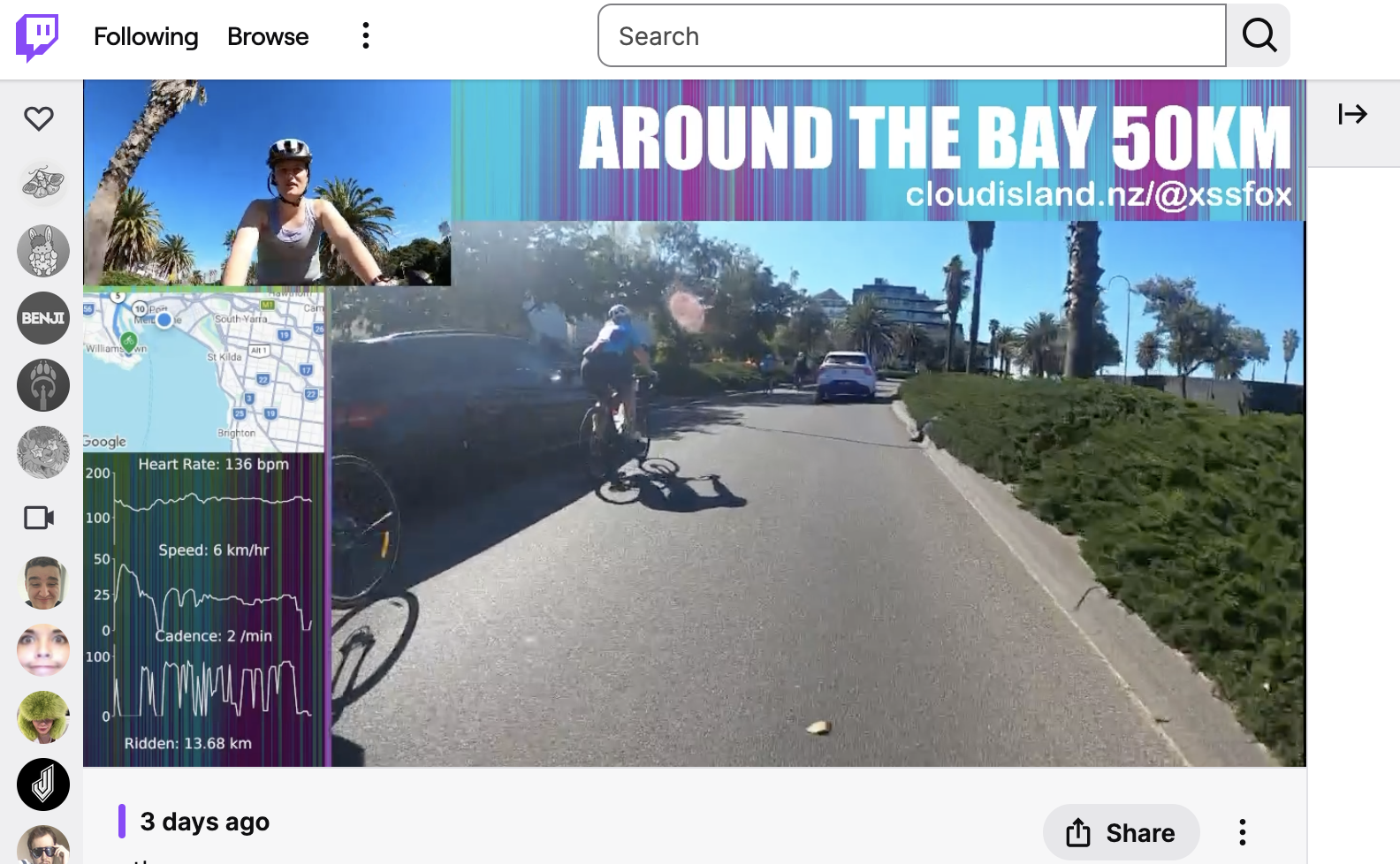
Adding data like heart rate, speed, distance, and a map really makes the stream pop. I think because it gives the audience some context and detail on how you are going. This overlay is rendered on the laptop on my bike. We have the main view, selfie view, a title, social url, map and vitals.
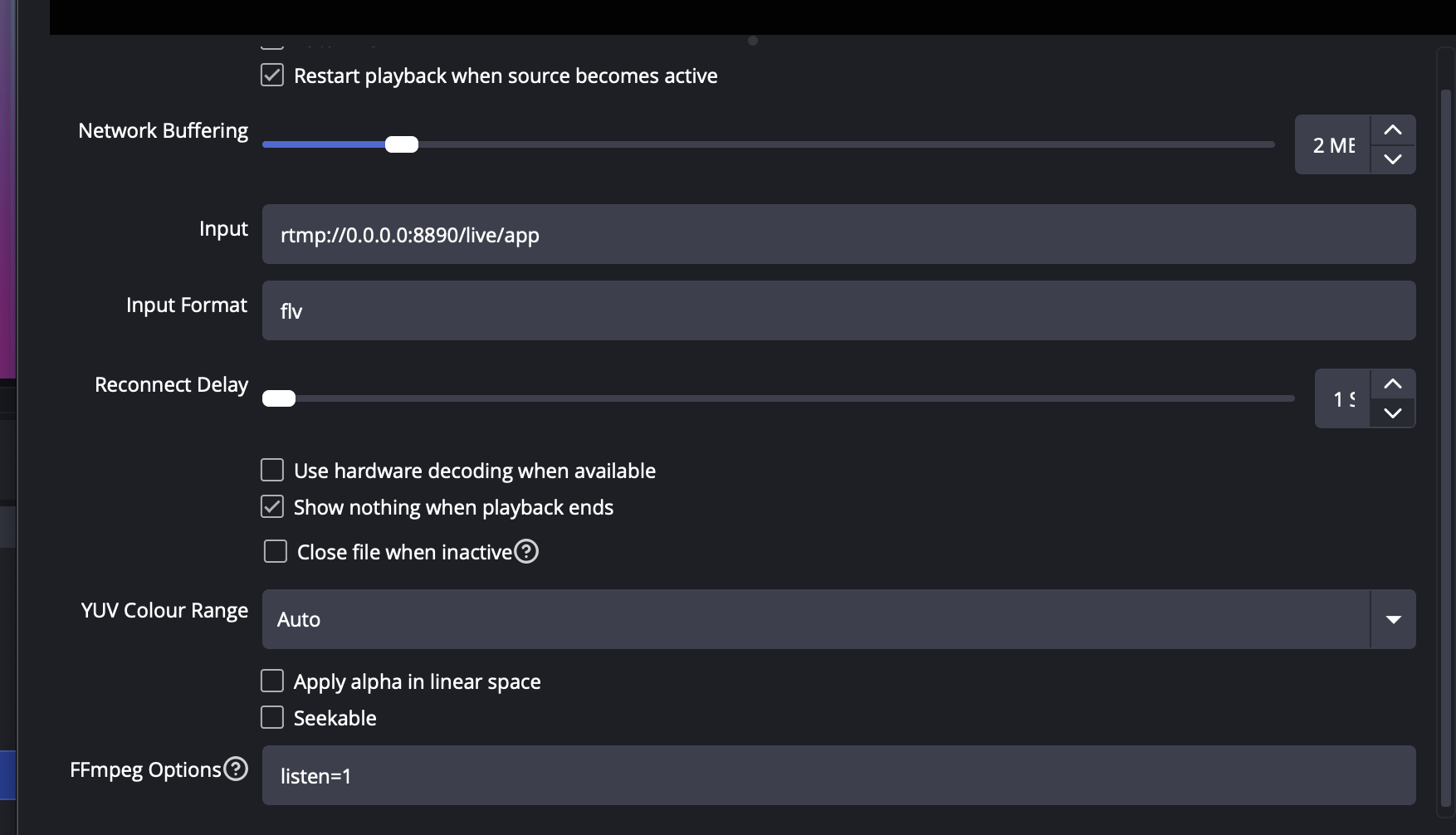
The cameras are pretty obvious, with the quirk that one of the cameras is mounted upside down. This is corrected in OBS as the GoPro 8 cannot rotate while in streaming mode. The way I connected the cameras to OBS was using the Media Source input with the input URL set to “rtmp://0.0.0.0:8890/live/app”, input format “flv” and ffmpeg options “listen=1”. This tells ffmpeg in OBS to open a port and listen for an incoming stream.
The map is provided by Garmin LiveTrack with some slight CSS tweaks to adjust its appearance. OBS lets you embed webpages and interact with them.
The vitals are little bit more complicated. These also come from LiveTrack but another option is to pull them directly from the sensors locally. I went with the LiveTrack approach as it seemed easiest. It’s not really a public API but reverse engineering it isn’t hard once you figure out the CSRF token stuff. To display it in OBS I actually just used matplotlib in Python and told OBS to capture that window. The script is hacky but you can grab it from this gist if you like.
This setup worked well, however it was a bit rigid. Tequin moderated the Twitch chat and let me know during the event when people commented or asked questions. I think it would have been preferable to stream the cameras to an OBS instance that Tequin controlled so that the stream continued with a “be back soon” message even when my internet dropped or there was technical problem.
GoPros. Sigh.
Maybe it’s not better the devil you know than the devil you don’t. I went with GoPro 8s because I had them and I knew them. However they are buggy pieces of shit. Unfortunately the test stream I did they worked perfectly so it gave me a false sense of semi-security.
To make the GoPros as easy to setup in the field as possible I made use of GoPro Labs firmware and the QR code configuration. As I was concerned that I would have to re-trigger start stream on the GoPros often, I printed that command on a sticker placed it on the back of my bike computer so it was easy to just wave it in front of the camera to restart the stream.
I did a few practice runs at home of getting everything to start, and it was a bit unreliable, but once they connected it was solid.
On the day, I burnt through all of my 30 minute setup time trying to get the GoPros to connect to the hotspot. They would connect to WiFi, go “LIVE”, then report “Connection Lost, retrying” or something to that effect. In all my testing I hadn’t ever seen them get into this state where they remained in “LIVE” but not connected.
Because of this I gave up on the OBS stream and switched to direct streaming from the main GoPro to Twitch. Because the camera was mounted upside down this meant an upside down stream with no overlay. At the first rest stop I tried the OBS setup again and it worked flawlessly.
My assumption here is that the event starting area is just saturated in 5GHz radio noise. The GoPros seem to really suck at WiFi when overloaded with RF. To back up this theory, the stream was running completely fine for the rest of the event up until I re-entered Albert Park for the finish. Interestingly both the internet dropped (Twitch stream showed broken stream icon), but when the stream returned the cameras were disconnected (and I knew this from the cameras beeping at me). It makes me wonder if there’s a signal jammer, broken device or spark gap generator near by….
I also can’t rule out that I was doing something wrong during the setup in the morning. If I were to do this again I would drop the GoPros from the setup and pickup something I could connect via USB directly. Though I’d want to make sure it had some ability to handle motion/vibration or add a gimbal.
Powering the cameras
From my previous testing with streaming my commutes I figured I get about 45 minutes of battery life. The GoPro batteries are pretty small. You can however power the GoPros via USB.
I have been playing around with using NP-F batteries as my go-to power source for projects, and decided to make use of them here as well.
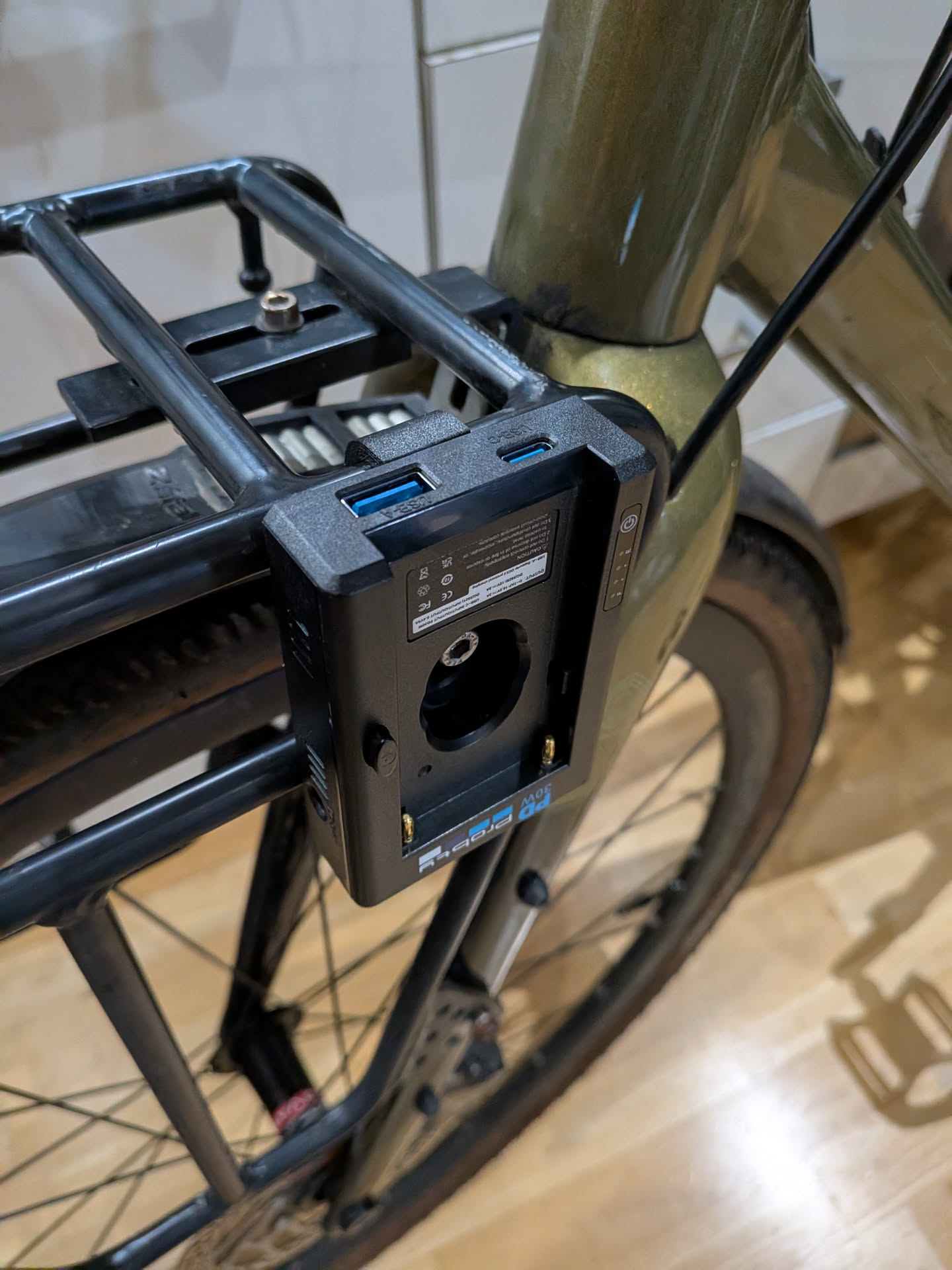
Obviously GoPros don’t have NP-F batteries, but I had picked up this Probty NP-F USB power plate things which provide various inputs and outputs for that style of battery.
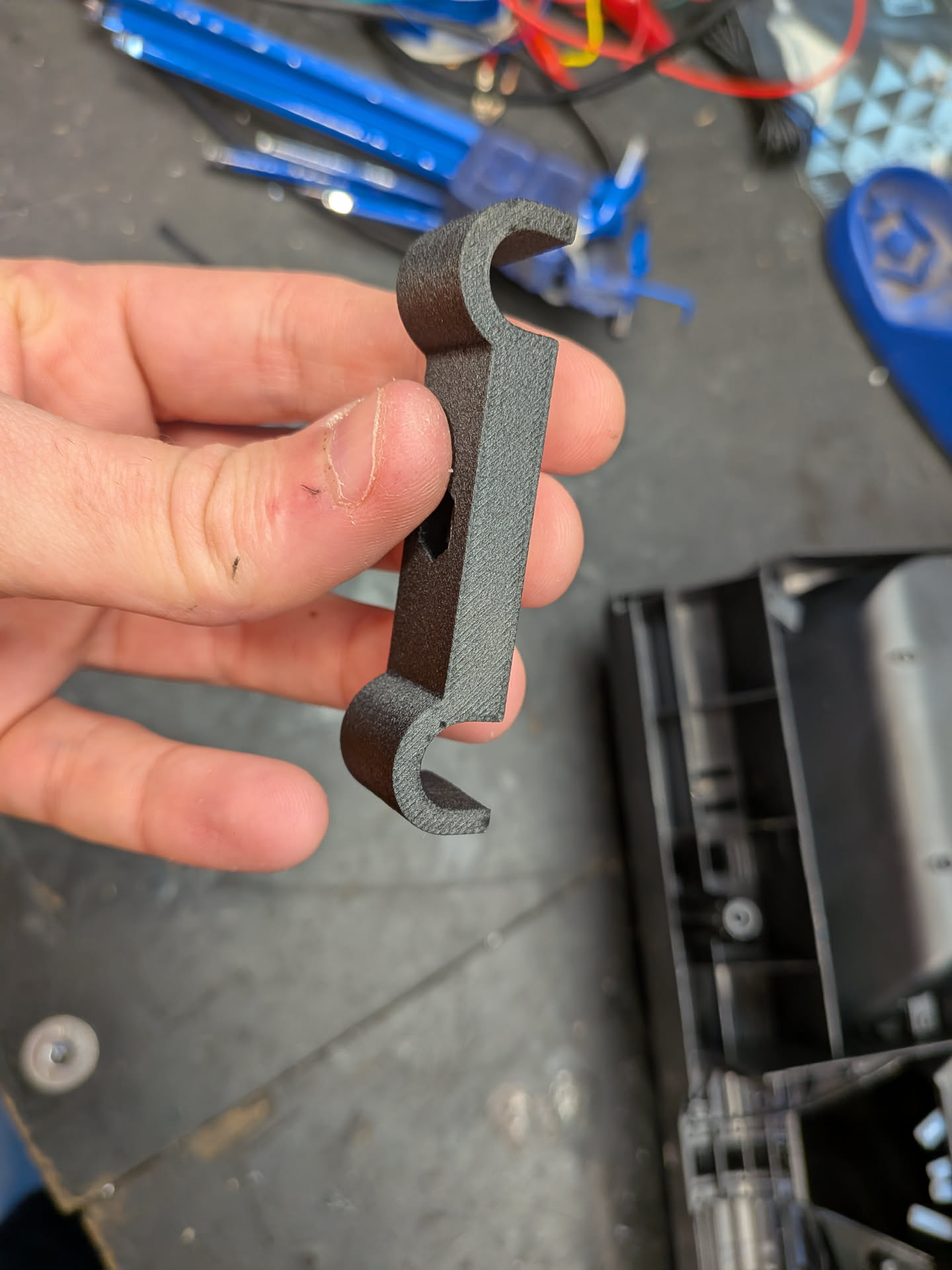
I designed and printed a quick little adapter to mount them onto my front rack and this worked surprisingly well. Each rack is going to be different, so you can use this OpenScad model as a starting point. I used PA6-CF filament for the print.
Finally we need to connect the USB cables to the GoPro. Normally the USB connector is hidden behind the battery cover. Leaving this uncovered will cause the battery to fall out. You can buy 3rd party covers that have a USB cutout. I attempted to buy one however when it showed up it was for the wrong GoPro model.
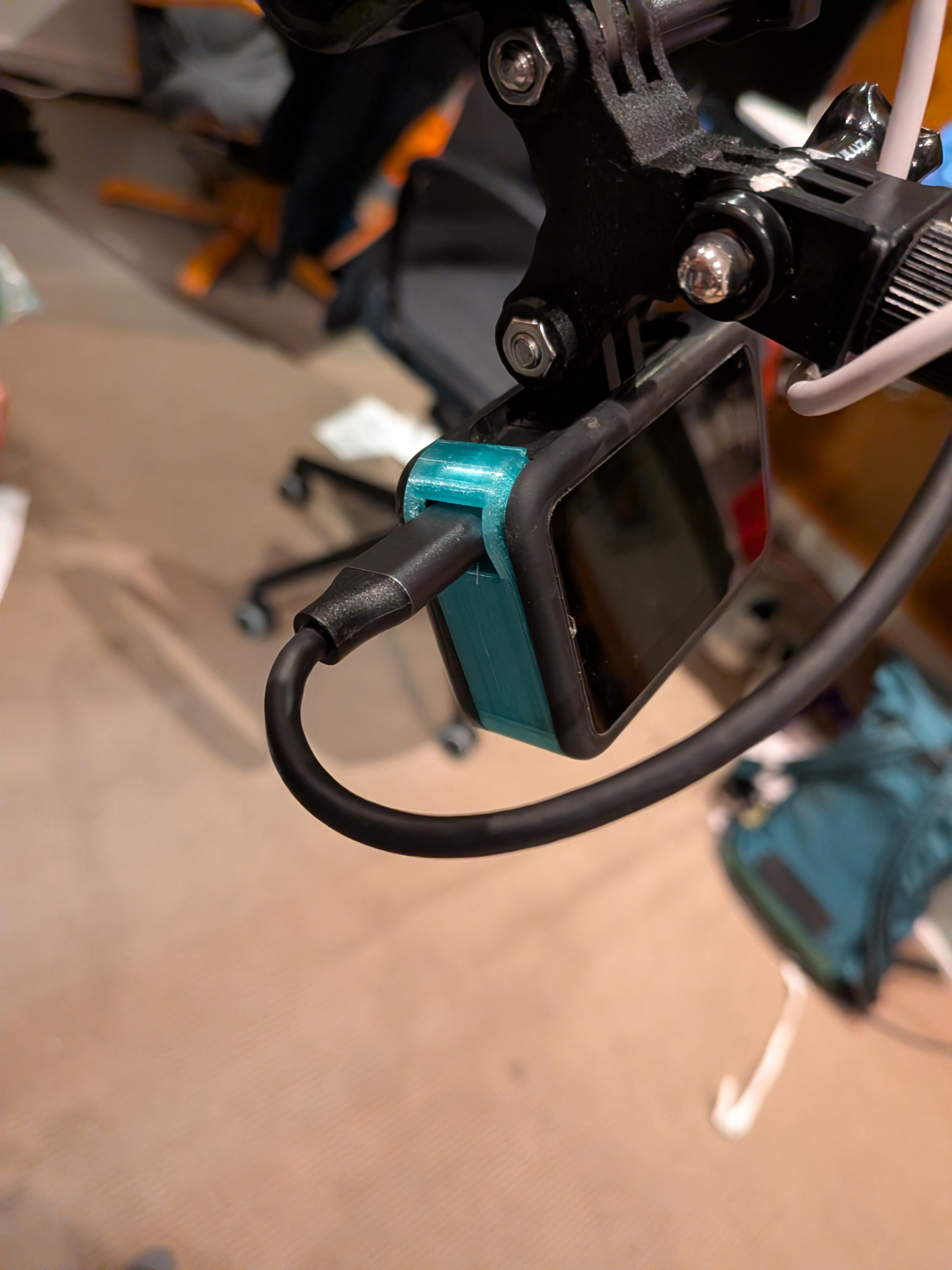
I ended up 3d printing my own cover as I was running out of time from I think this model.
Jousting
The next part is securing the cameras and getting good angles. In my commute streams I only use a single camera which looks forward. The easiest way for me to do this is to replace my bike light with a camera.
While this provides a decent view forward, if I did the same trick for a backwards facing camera, the angle looks horrible. So instead I wanted to move the cameras forward of the bike so the camera looking towards me is a bit more appealing and interesting. Moving the cameras to the front rack lowers the cameras too far and the selfie camera ends up with the same problem we were trying to avoid - along with having handle bars covering the field of view.
To solve this I used a Bullet Time GoPro Motorcycle & Bicycle Handlebar Mount. For some reason 360 cameras are now called “bullet time” even though thats not what “bullet time” is….
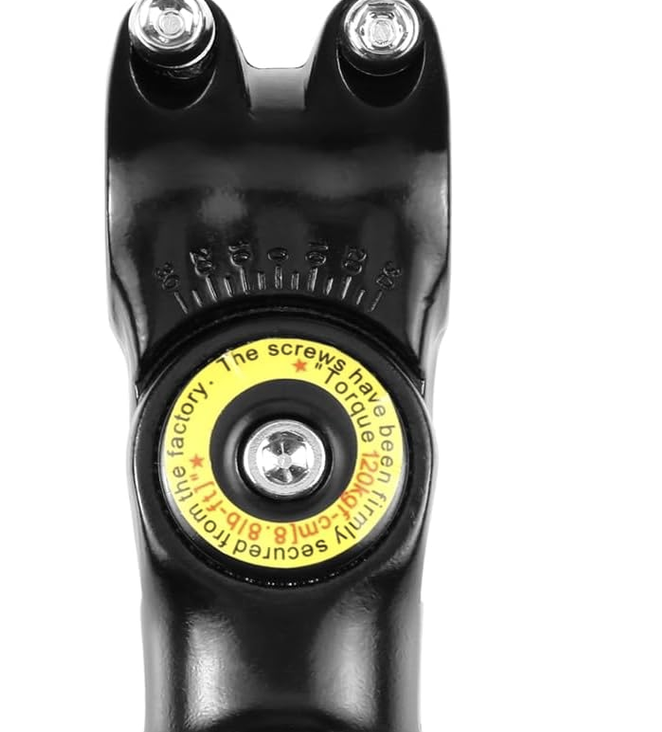
Although the handlebar adapter has a big warning that the screws have been torqued in the factory, by the end of the event I noticed I was able to easily move the mount +/- 10 degrees by hand. I did test that this was torqued before leaving - so I’m bit surprised it came loose. Something to keep in mind in the future.
Since I needed to mount two cameras I went looking for a GoPro mount double adapter style thing, before realising I could just print one.
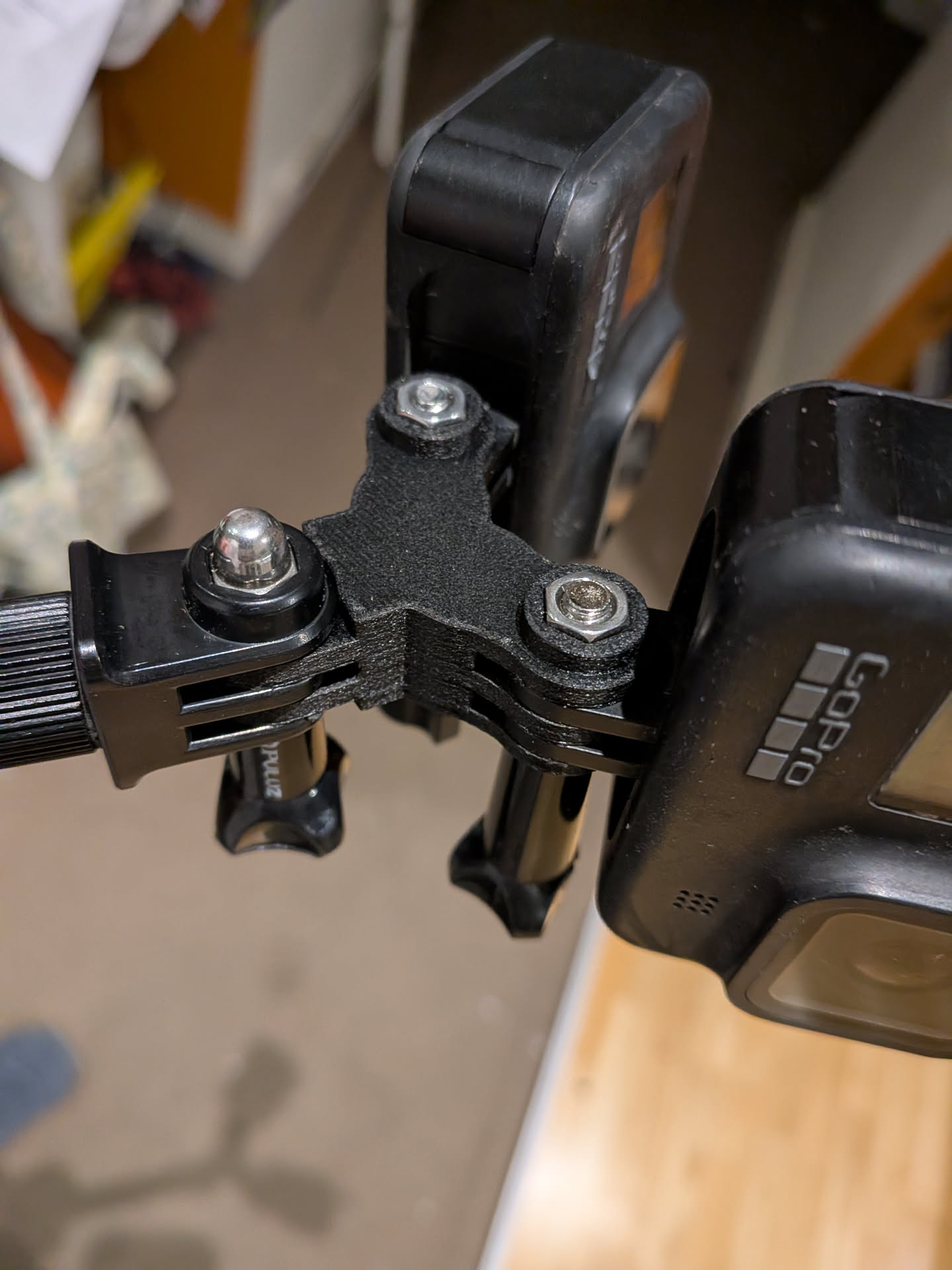
I used this model however it required some modification as the prongs are the wrong size. I haven’t printed this one but it claims to fix this problem.
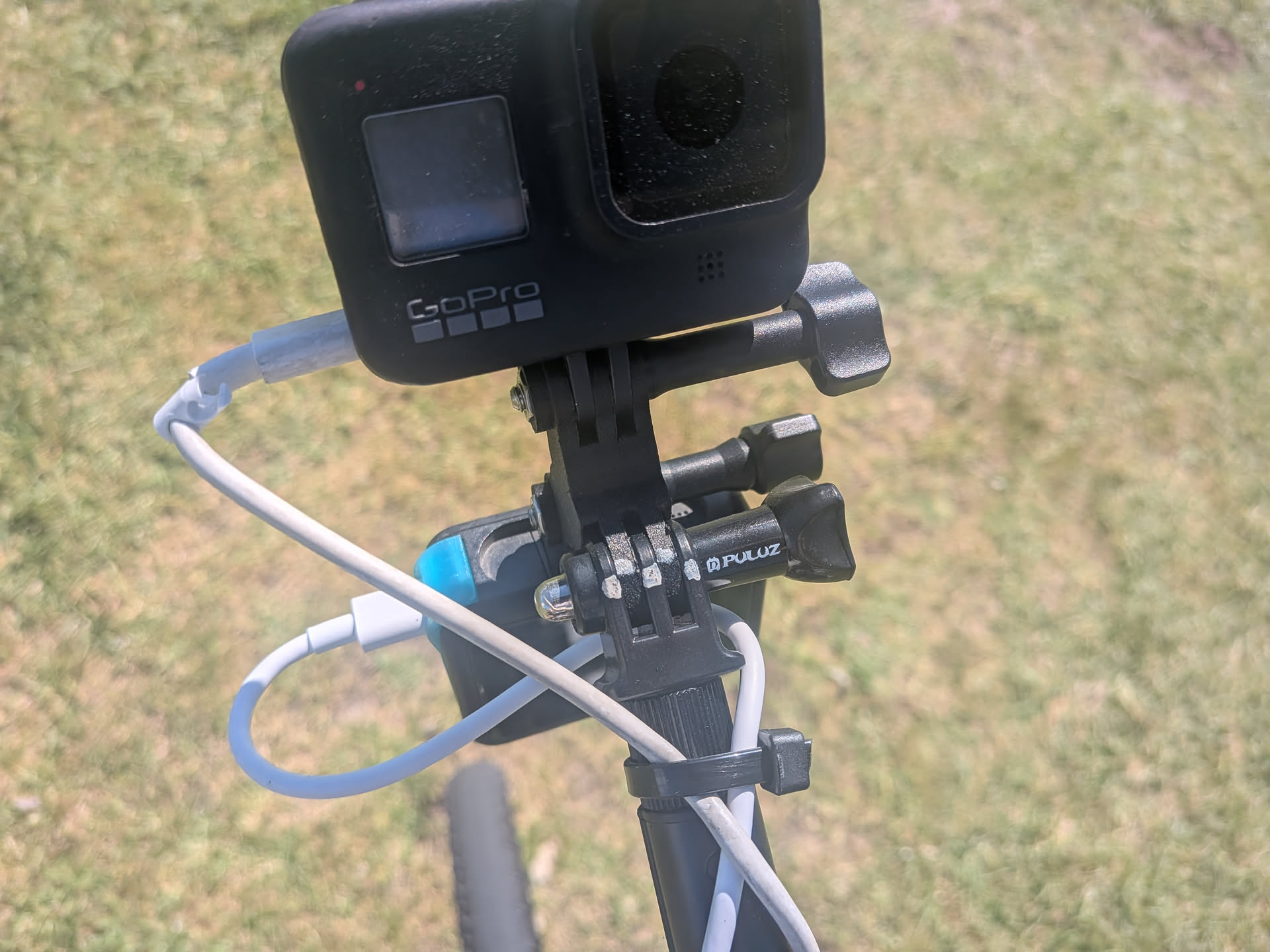
Once I got all the camera angles correct, I added a witness mark using a paint pen so that if anything shifted or changed I could return it back to the correct position. I didn’t have any issues with the camera moving angle with the exception of the final Albert Park entrance where I hopped up onto a roundabout to pass some other cyclists and get some speed into the final section. You can see the shift in this picture I took after finishing.
Discord chat
A last minute (well last few days) addition was joining Alex’s Discord voice chat during the ride. Alex did The Classic 220km ride. I didn’t want to open mic the entire ride so I bought one of those Zello Bluetooth PTT buttons.
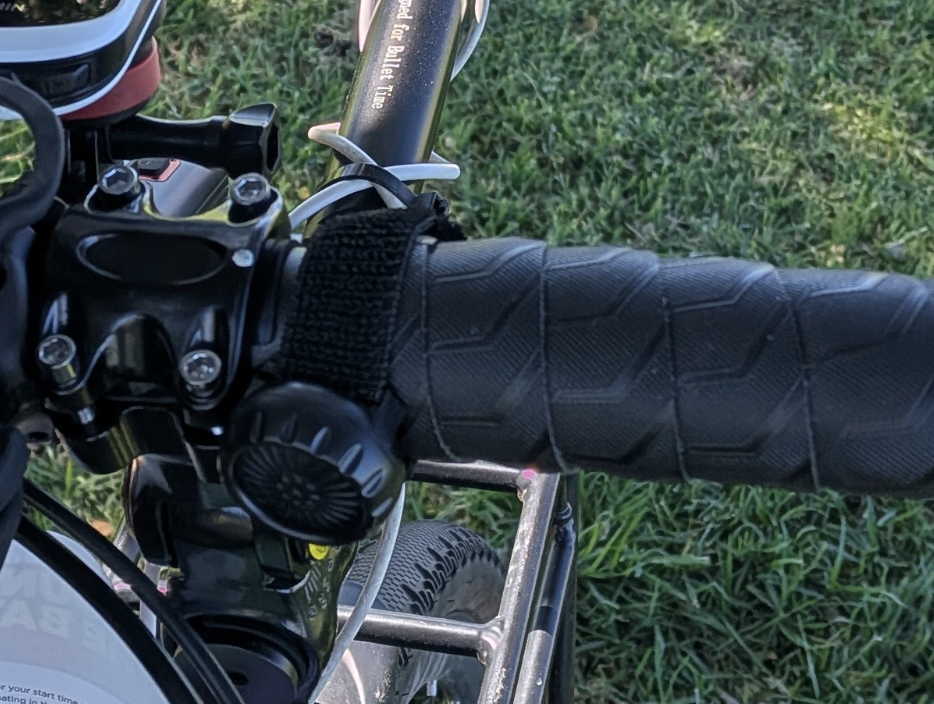
Getting this to work was harder than I expected. The button doesn’t act as a keyboard (so doesn’t work natively in Discord) but rather a custom BLE device. You need to subscribe to events from the BLE characteristic to detect changes in button states. Reverse engineering the Bluetooth part was easy, but trying to simulate a key hold down event was much harder. I tried keyboard, pynput, CGEventCreateKeyboardEvent, PyAutoGUI and other Python libraries however none worked. Well they worked - but not in Discord. Other apps detected the presses fine but Discord’s PTT detection never detected the presses.
I ended up installing Karabiner Elements which installs a virtual keyboard driver so the operating system sees what looks like a real keyboard. I modified the example code for interfacing with the driver to accept a basic command from stdin, then adjusted my python PTT code to pipe commands to that process. A gist of the code is here but it’s very hacky.
Even though the PTT system worked really well, it was never used as I switched to using Discord on my phone, due to the initial stream failure.
Checklists
This entire project has relied on checklists. I would print these out on labels and stick them to places so that I had to use/remove them before continuing. The night before, I had to make sure everything was packed and ready and batteries were charged. In the morning I needed to make sure any items that were charging were packed. The last thing I wanted was to do was something like leave my laptop at home as I wouldn’t notice until it was too late.
At the start line, I needed to start the hotspot, configure the cameras, start OBS, set sleep mode on the laptop, configure the vital/map overlays, start my HR monitor, etc…. Having a list to make sure that was all done in the correct order was important.
The result
Partial success. As mentioned above I was unable to get the stream started at the beginning of the event. I opted to fall back to direct streaming from the GoPro to Twitch, but I forgot the stream would be upside down. I had a quick break at the first rest stop to see if I could get the stream running through OBS.
This worked first go, but while doing this I accidentally stopped the Garmin activity, causing a new Live Track to be started, so stats showed the distance and map incorrectly. Additionally since I switched to Discord on my phone that meant that audio on the OBS stream wasn’t coming from my microphone and I had otherwise disabled the GoPro microphones to prevent double audio. At the second rest stop I fixed this by enabling a GoPro microphone, but this caused a bit of a one way conversation effect with the Discord users.
Regardless I’m pretty happy that I was able to get it to mostly work. As you hopefully understand, there’s a lot of moving parts to get working and with illness I didn’t really have a chance to do more testing.
Even if it didn’t work, just doing the ride is enjoyable enough. Not sure what event I’ll do next year. If its a shorter ride, I might try to stream it again. Now that I have a streaming setup that works, I can also do this on other rides, not just Around the Bay.