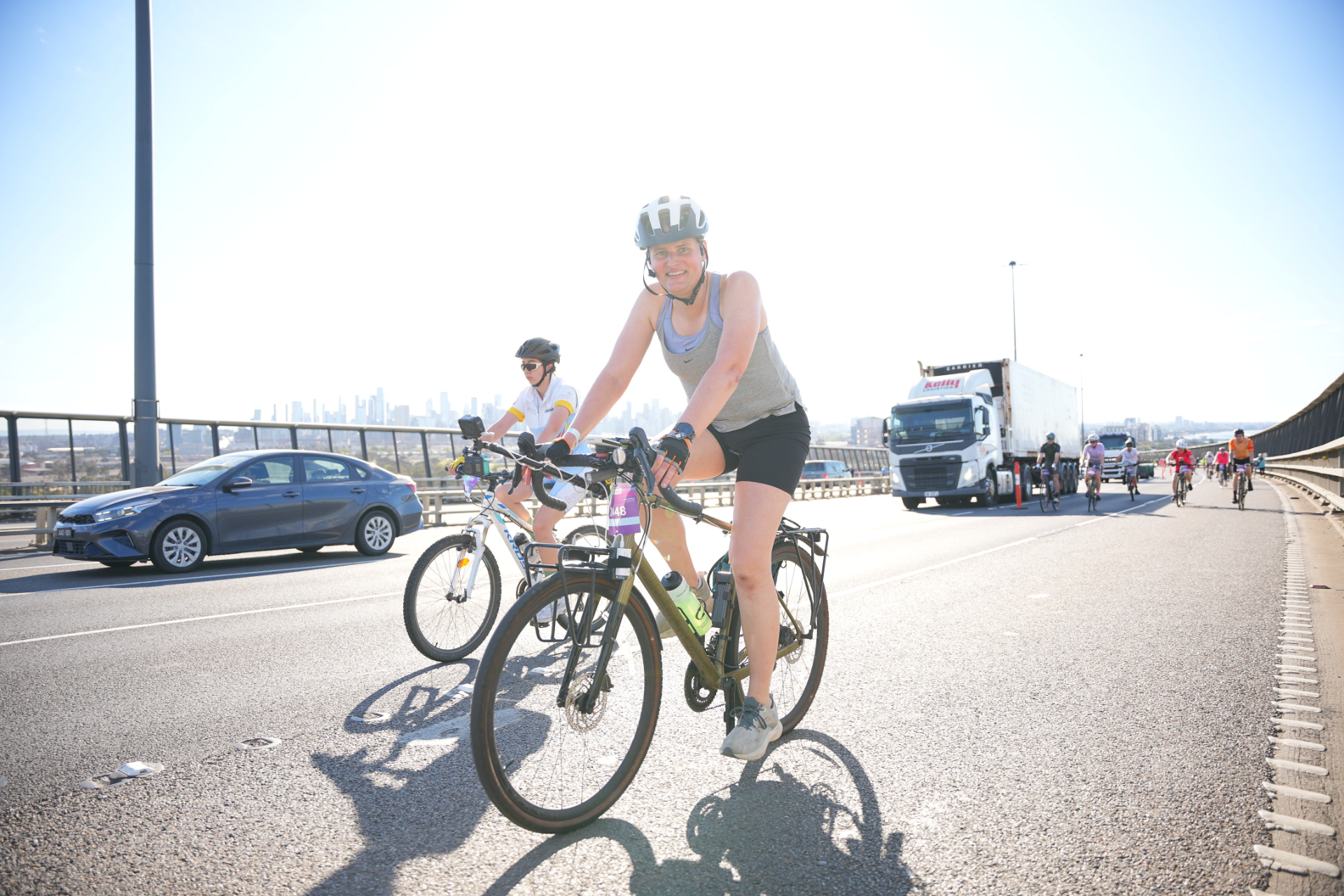
Last year on a whim, I completed the Around the Bay 100km route. However this year I wasn’t feeling like my back and body could sustain that distance so decided on entering the 50km. A 50km ride to some people might sound like quite a distance, however once you’ve spent a little time on a bike it’s actually a fairly easy distance to accomplish. Most people can ride at 20km/h which means that as long as you can sit on a bike for 2.5 hours, a 50km ride is very doable. It’s the kind of ride I wouldn’t usually think about doing any preparation for.
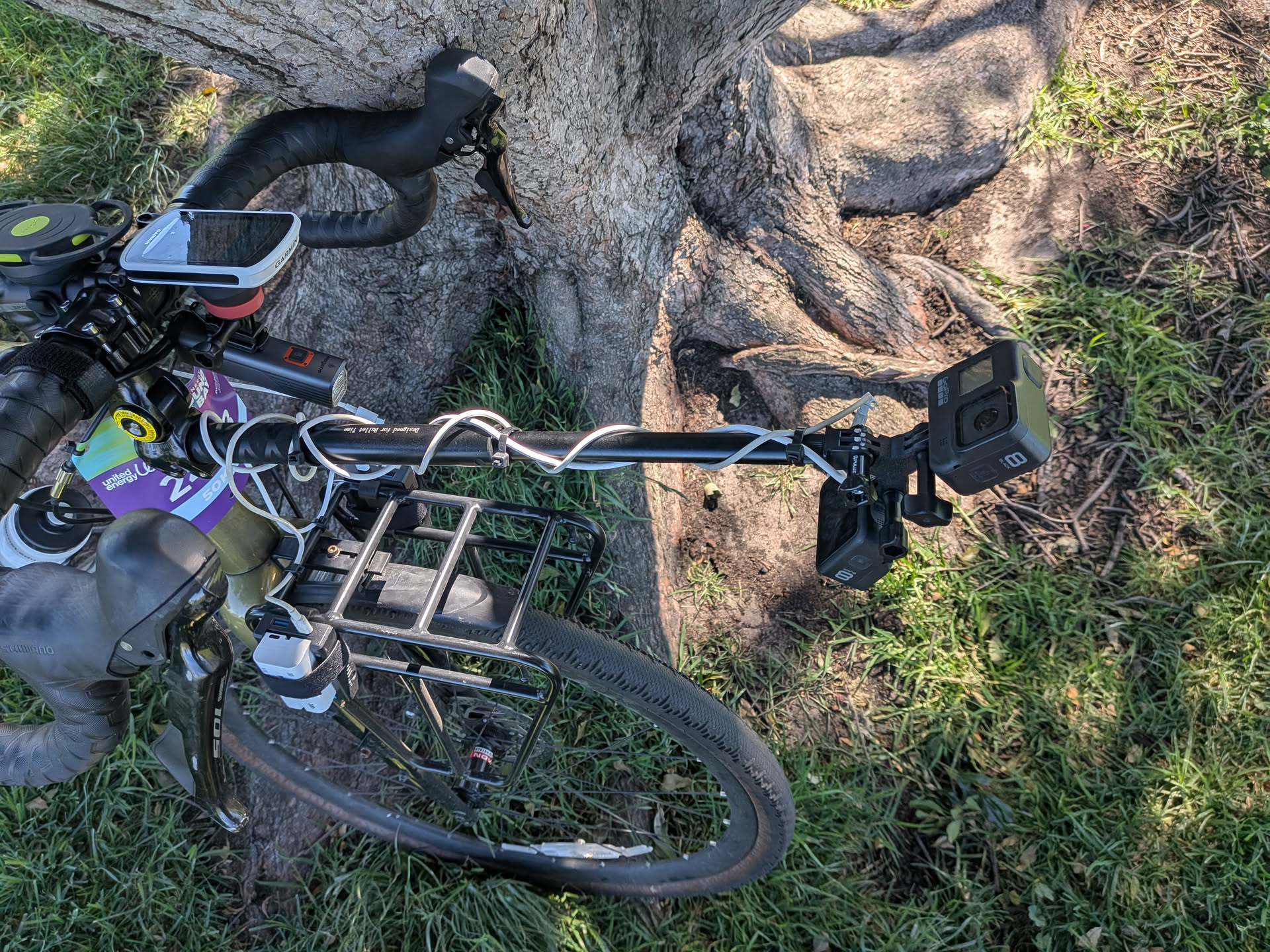
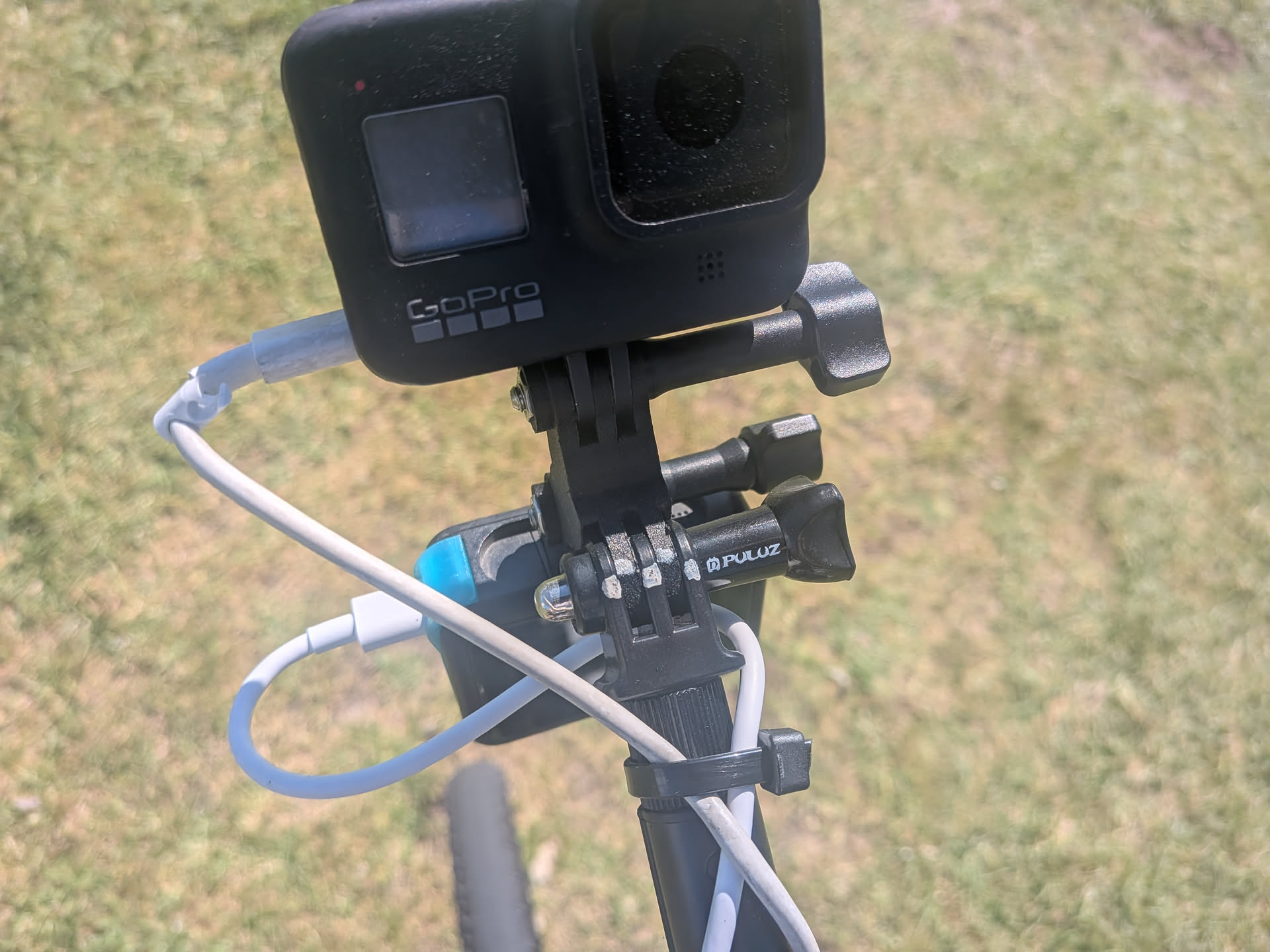
So when I signed up, I thought about ways I could do it to make it a bit more interesting, and one idea I had was attempting to livestream the entire ride. How hard could it be? Well, it resulted in what I call the “GoPro jousting stick”.
Prior to making this decision, I had previously streamed a few of my work commutes since the ride along the river is so nice in the morning and evenings. This gave a me good idea of some of the challenges involved and I had already refined that setup a bit.
Streaming methods
Let’s run through some of the ways of streaming a bicycle ride:
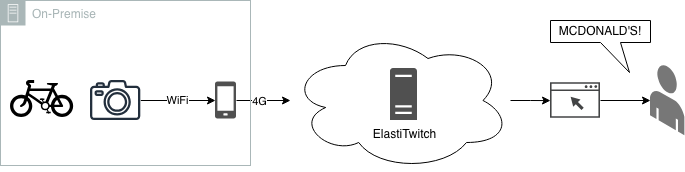
Lazy approach
It seems pretty simple, attach a camera to the bike, connect it via the app, press stream. This is actually an approach I’ve taken in the past with a GoPro. It works ok. It has some limitations though:
GoPro 8 (what I have in stock) - live streaming does not recover from faults, it will end the stream on connection loss. Even if the stream doesn’t end, a temporary period of low bandwidth will make it drop back to the lowest bitrate and never come back
No overlays to show stats like speed, heart rate or a map
Only supports a single camera
GoPro 8 do not support rotating the camera output for livestreams - this can be a problem if the camera is mounted upside down (a necessity if it’s under something)
Multi track drifting
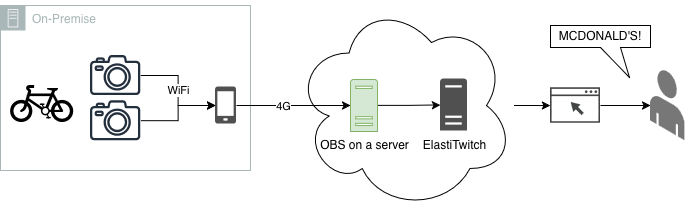
The other approach I’ve attempted in the past is running an Open Broadcaster Server (OBS) in a remote location (I think the pros call this a “playout server”). This allows adding an overlay to the broadcast along with multiple camera support. Multi camera support I think is useful - as its nice to see what I’m doing along with the course itself. Some issues remain and we get some new ones.
We still have the issue with GoPros disconnecting / reducing bitrate
We’ve also now doubled the amount of bandwidth required for the already limited 4G link
On bike OBS
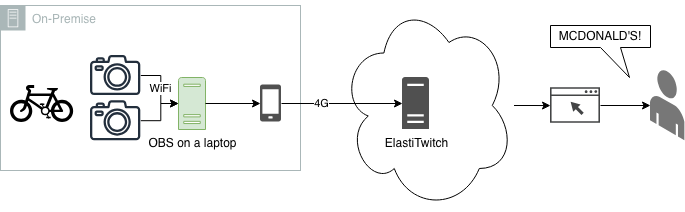
The solution I’ve had the most success with on my commutes has been running OBS locally. This has the advantage of ensuring the GoPros never “disconnect” even if the 4G connection goes down. It also allows crunching the video bitrate down prior to sending over the 4G. It’s still not perfect because it has these issues:
Lugging a laptop around for 50km (I probably wouldn’t have done this on the 100km)
Having to power and cool a laptop streaming out for the duration of the ride
This last method is the one I went with. It also allowed some flexibility in changing the config during rest stops if needed - though in hindsight this would have been better done by someone else monitoring the stream.
I think in future I would combine this method with the one above to allow someone monitoring to adjust the stream due to faults - something I can’t do while riding.
Putting it all together
With the streaming method selected, let’s look at all the components along with how they performed on the day:
My Body
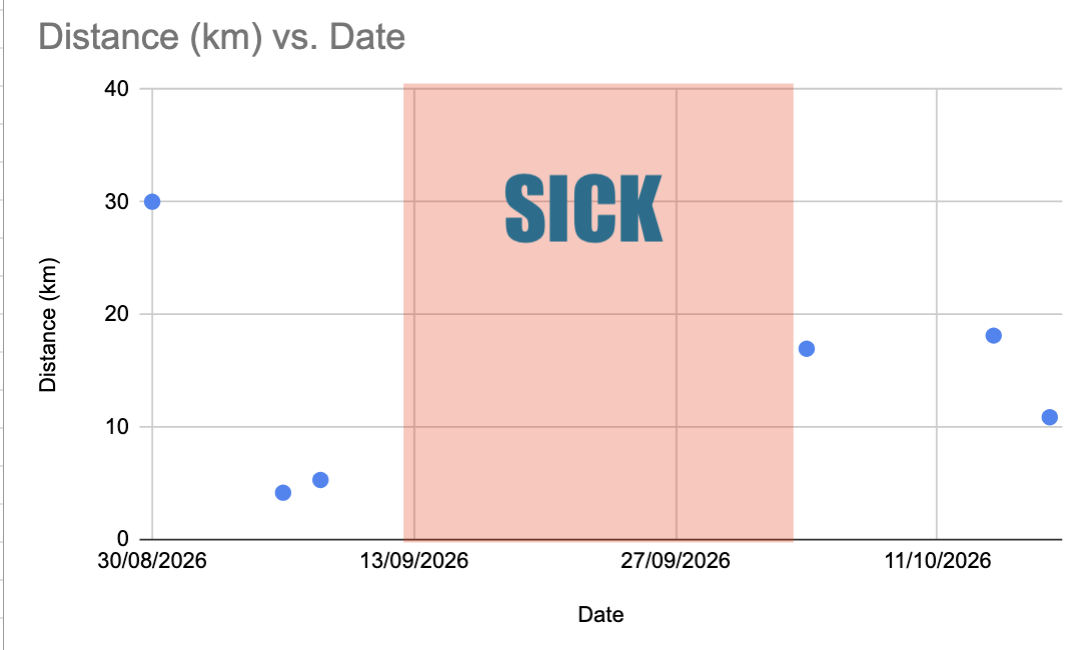
Most importantly, my body plays a big part in actually completing the ride. At the start of this post I mentioned that 50km wasn’t a big deal for me (and probably for you as well). Well, in the lead up to the event I got the sickest I think I’ve ever been in my life - and on multiple occasions I thought I might need to go to the hospital. I didn’t eat for 3 days. Even today I still have a cough that isn’t going away any time soon.
So we were really going into this with minimal training. I was originally aiming for a 25 km/h pace but decided to just approach it with whatever felt comfortable on the day.
Sunblock
Before we dive into the more technical aspects, I wanted to talk about the sun. The 50km event is one of the later starting times, but even still I had to get up fairly early so that I could ride to the event, set up the stream and get going. As I would be in the sun for most of the event, the plan was to apply sunscreen before I left.
The problem is that at 6am when applying the sunscreen I was still not quite awake. I focused on a lot of areas that I typically miss or are hard to reach. Somehow I missed two very obvious and normal spots on my arms. I can confidently say that sunscreen works from this inadvertent A/B test. In hindsight I should have taken some time to reapply sunscreen at one of the rest stops.
The bike
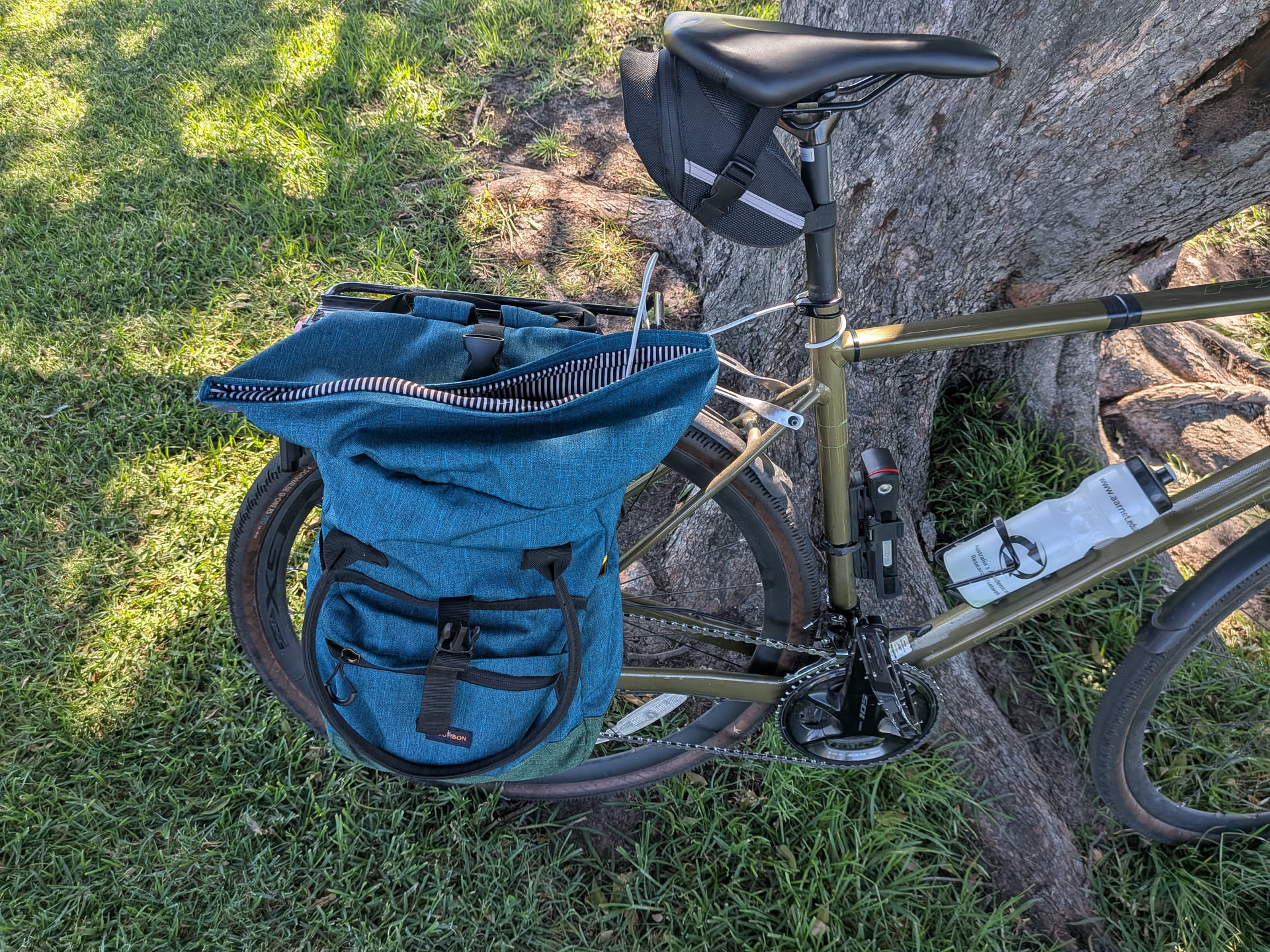
My bike is a Polygon Path X5. This bike is very easy to ride and with the front and rear racks I’ve added, has plenty of storage possibilities for the streaming equipment. Prior to the event, I adjusted the front dérailleur to fix a long standing issue I had with the low gears rubbing. I only made this adjustment because of the long uphill section of the West Gate Bridge.
The bike held up well during the event with the exception of the rear tyre. Only fairly recently I had Schwalbe G-One RS PRO tyres installed.
I have not been impressed with these tyres. I’m not sure if it has been bad luck with debris, a bad batch of tyres, or if this range just isn’t very good for the cycling I do. This is in contrast to the Schwalbe G-One Overland 365 which I really enjoyed and found super reliable. Often in the mornings I see sealant oozing out of the sidewalls.
The day before the event I had a leak that the sealant was not filling very well. The tyre was holding pressure ok, so I left it overnight hoping it would seal. It mostly did, and in the morning before leaving I pumped the tyre up to full pressure.
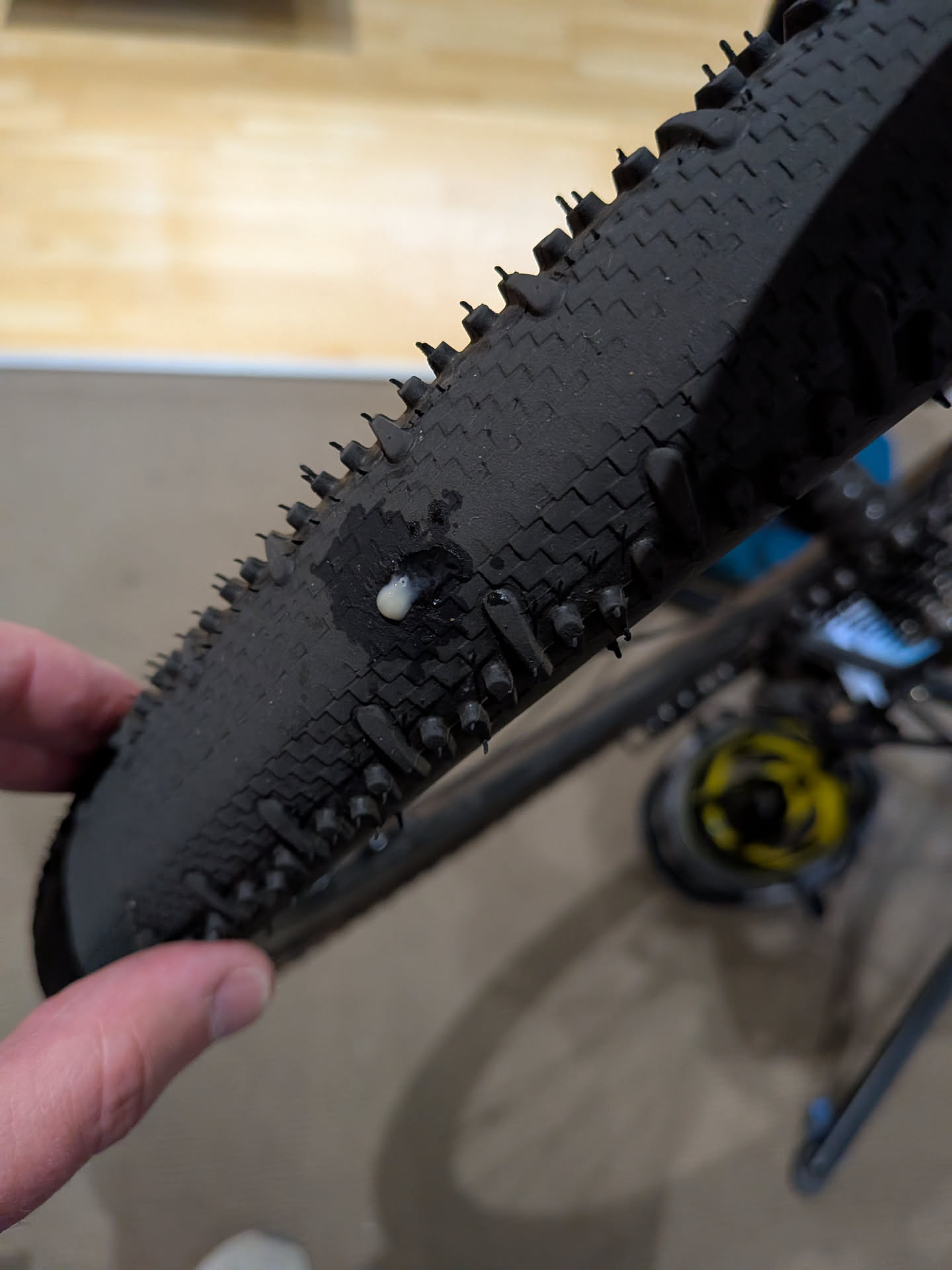
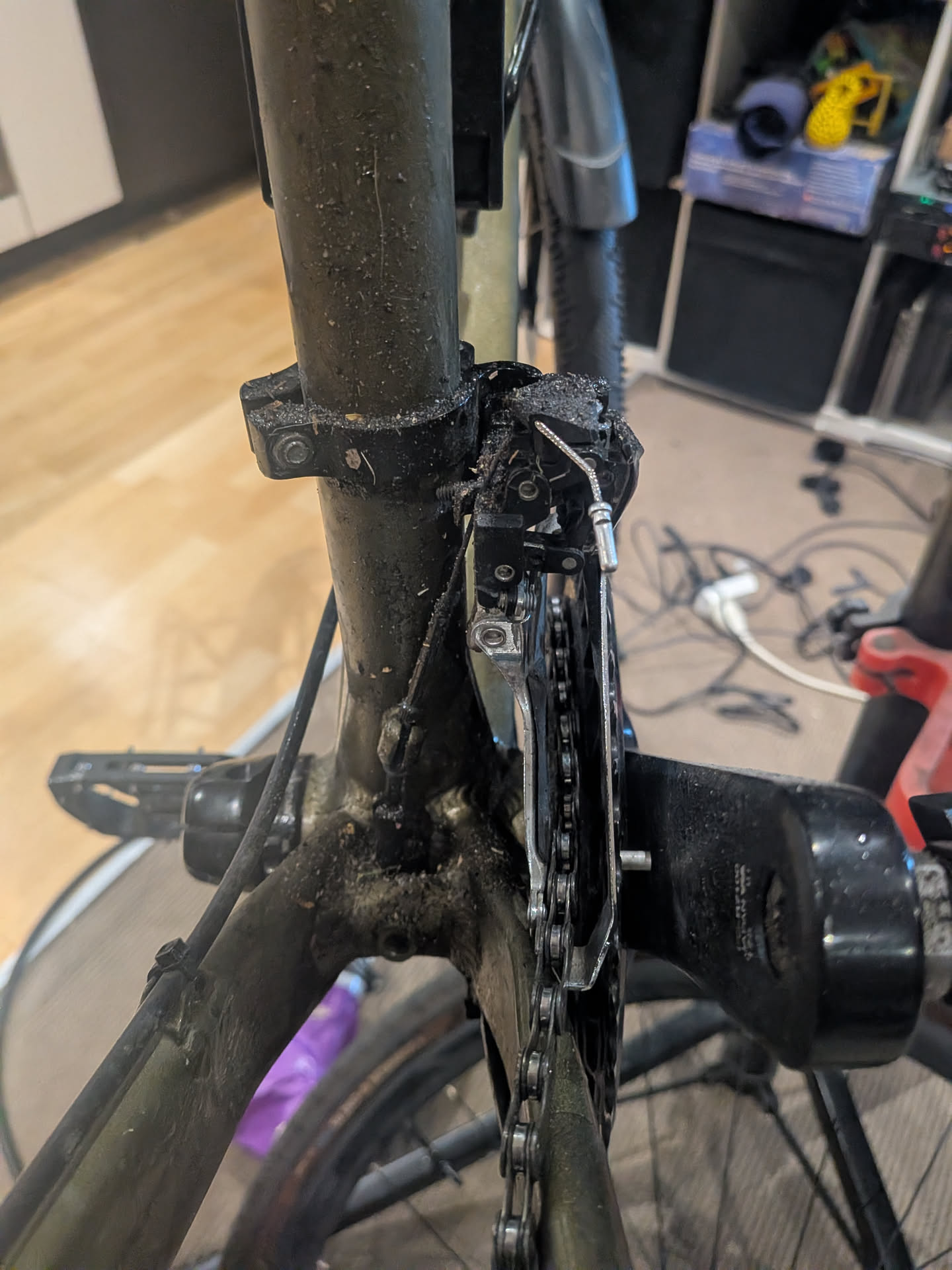
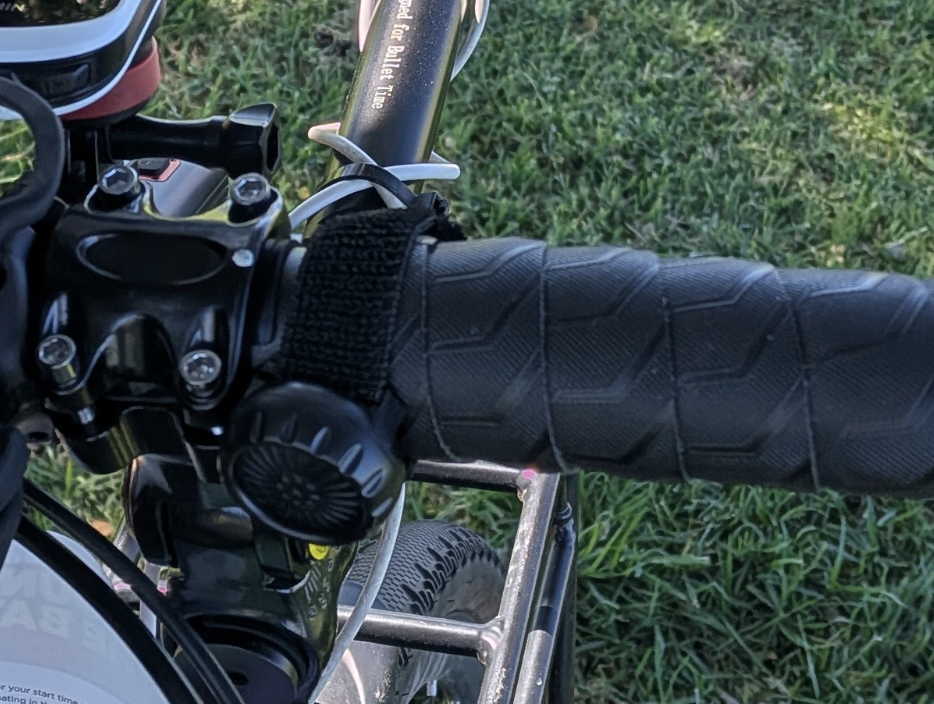
It seems, however, that during the event I picked up another puncture - as referring to pictures, there was a new leaking hole, and when I got home the rear of my bike frame and front dérailleur was covered in sealant that had leaked out while riding.
The internet
Getting the stream out to Twitch requires some form of internet. The organisers had told me that “no you can’t drag a VDSL copper line behind you the entire way”. The next best thing would be 4G. We also have 5G here in Australia, but in previous testing I found that the 5G cell coverage areas are fairly small and the handoff time to 4G seems quite slow, so forcing 4G increased reliability. This will likely change in the future.
To connect to 4G I just used my mobile phone, since I would be taking it regardless. A fancy router with two modems on different networks and multipath TCP would probably improve this setup - however I wanted to keep the complexity low and remove additional devices to carry. The Telstra coverage for the event is pretty good so I turned off my second Optus SIM to prevent handover problems and to reduce battery usage.
Using my phone for data poses another problem however. Android, for some bizarre annoying reason, decided to implement client isolation for the hotspot mode, and there is no way to disable it. This prevents the GoPros from connecting to the OBS server.
To overcome this I actually used USB tethering to the laptop and configured macOS for internet sharing.
Generally, coverage was pretty good for the event with one exception that I’ll get into later in the post.
I bought a phone holder specifically for the event, with the intent that I would occasionally look at the screen for Twitch messages, however it was far too busy to move my focus to the phone, even briefly. This setup did mean running a USB cable from my bag to my phone. I might leave the phone in the bag next time.
Laptop
I decided to use my MacBook for the OBS server. It seems a little silly when I could use a Raspberry Pi, but a laptop gives me a full debugging interface that I can access along the way. It also comes with a large battery.
Prior to starting the stream I did a fresh boot and closed all the unneeded apps. By default macOS will sleep on lid close, so running this command prevents that:
sudo pmset -a disablesleep 1
The weather turned out to be a fairly warm day, so the laptop got a little bit warmer than I expected - but it still worked fine and heat didn’t become a problem. The laptop is placed in my usual pannier bag with the USB cable running up to my phone.
One thing to consider with this setup, however, is that the laptop will charge the phone. This will mean that the laptop is going to discharge its battery quicker than expected, leaving you with a flat laptop and full phone at the end of the event. To combat this, I also included a power bank to charge the laptop. At the end of the event my laptop was left with 10% battery, which was a lot lower than I was expecting.
In the future I’ll consider not using a laptop.
Overlays, OBS and Twitch
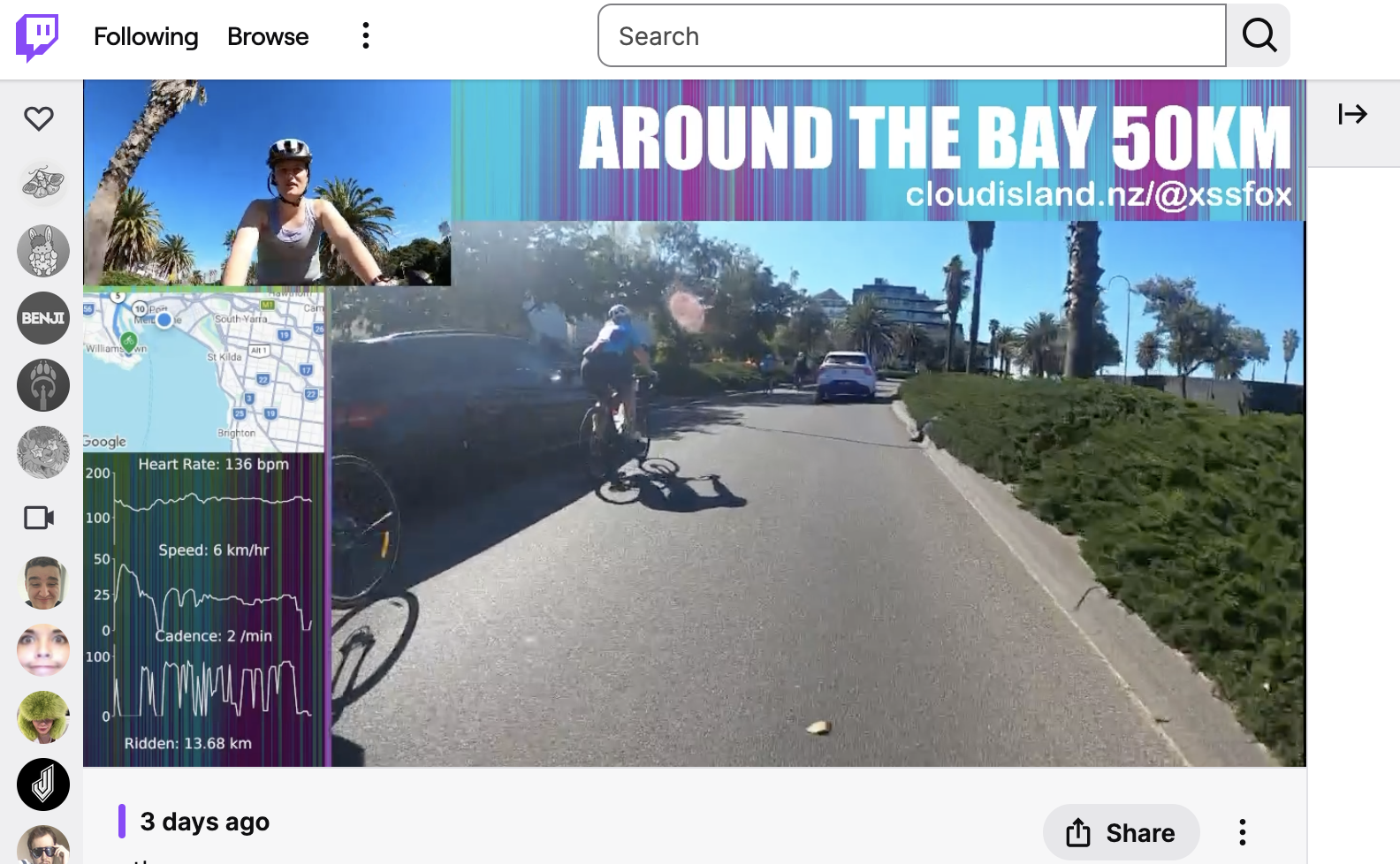
Adding data like heart rate, speed, distance, and a map really makes the stream pop. I think because it gives the audience some context and detail on how you are going. This overlay is rendered on the laptop on my bike. We have the main view, selfie view, a title, social url, map and vitals.
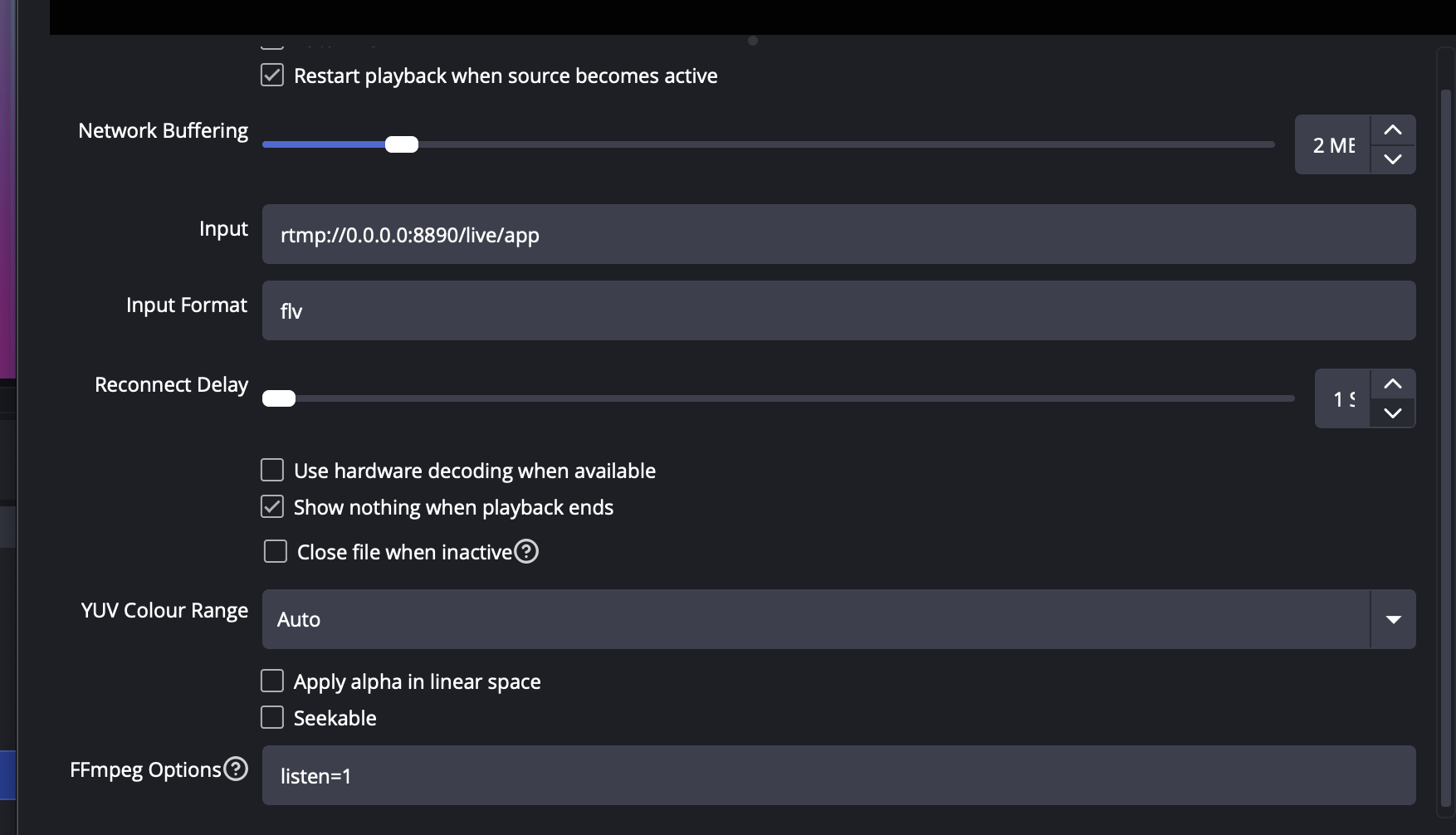
The cameras are pretty obvious, with the quirk that one of the cameras is mounted upside down. This is corrected in OBS as the GoPro 8 cannot rotate while in streaming mode. The way I connected the cameras to OBS was using the Media Source input with the input URL set to “rtmp://0.0.0.0:8890/live/app”, input format “flv” and ffmpeg options “listen=1”. This tells ffmpeg in OBS to open a port and listen for an incoming stream.
The map is provided by Garmin LiveTrack with some slight CSS tweaks to adjust its appearance. OBS lets you embed webpages and interact with them.
The vitals are little bit more complicated. These also come from LiveTrack but another option is to pull them directly from the sensors locally. I went with the LiveTrack approach as it seemed easiest. It’s not really a public API but reverse engineering it isn’t hard once you figure out the CSRF token stuff. To display it in OBS I actually just used matplotlib in Python and told OBS to capture that window. The script is hacky but you can grab it from this gist if you like.
This setup worked well, however it was a bit rigid. Tequin moderated the Twitch chat and let me know during the event when people commented or asked questions. I think it would have been preferable to stream the cameras to an OBS instance that Tequin controlled so that the stream continued with a “be back soon” message even when my internet dropped or there was technical problem.
GoPros. Sigh.
Maybe it’s not better the devil you know than the devil you don’t. I went with GoPro 8s because I had them and I knew them. However they are buggy pieces of shit. Unfortunately the test stream I did they worked perfectly so it gave me a false sense of semi-security.
To make the GoPros as easy to setup in the field as possible I made use of GoPro Labs firmware and the QR code configuration. As I was concerned that I would have to re-trigger start stream on the GoPros often, I printed that command on a sticker placed it on the back of my bike computer so it was easy to just wave it in front of the camera to restart the stream.
I did a few practice runs at home of getting everything to start, and it was a bit unreliable, but once they connected it was solid.
On the day, I burnt through all of my 30 minute setup time trying to get the GoPros to connect to the hotspot. They would connect to WiFi, go “LIVE”, then report “Connection Lost, retrying” or something to that effect. In all my testing I hadn’t ever seen them get into this state where they remained in “LIVE” but not connected.
Because of this I gave up on the OBS stream and switched to direct streaming from the main GoPro to Twitch. Because the camera was mounted upside down this meant an upside down stream with no overlay. At the first rest stop I tried the OBS setup again and it worked flawlessly.
My assumption here is that the event starting area is just saturated in 5GHz radio noise. The GoPros seem to really suck at WiFi when overloaded with RF. To back up this theory, the stream was running completely fine for the rest of the event up until I re-entered Albert Park for the finish. Interestingly both the internet dropped (Twitch stream showed broken stream icon), but when the stream returned the cameras were disconnected (and I knew this from the cameras beeping at me). It makes me wonder if there’s a signal jammer, broken device or spark gap generator near by….
I also can’t rule out that I was doing something wrong during the setup in the morning. If I were to do this again I would drop the GoPros from the setup and pickup something I could connect via USB directly. Though I’d want to make sure it had some ability to handle motion/vibration or add a gimbal.
Powering the cameras
From my previous testing with streaming my commutes I figured I get about 45 minutes of battery life. The GoPro batteries are pretty small. You can however power the GoPros via USB.
I have been playing around with using NP-F batteries as my go-to power source for projects, and decided to make use of them here as well.
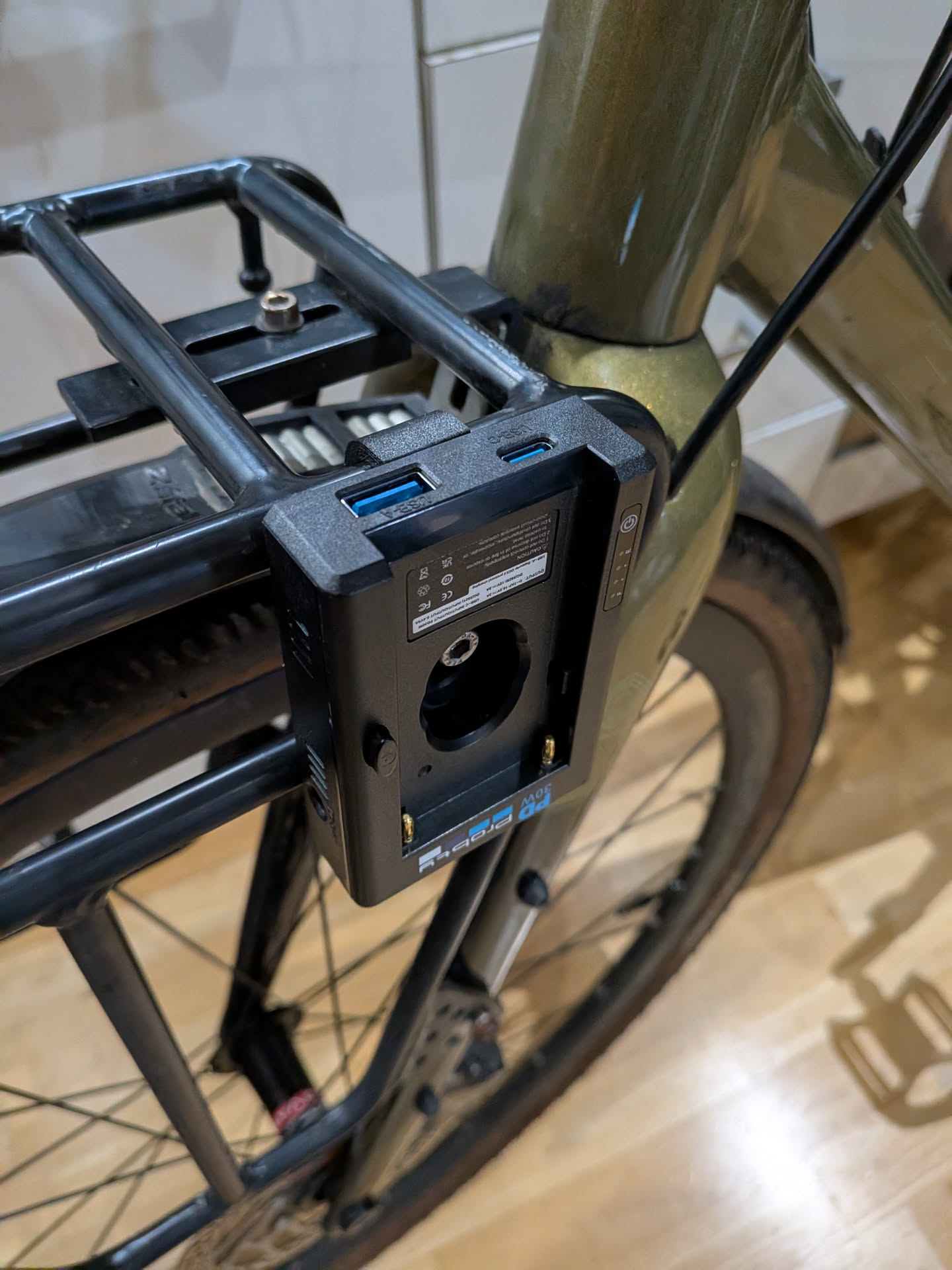
Obviously GoPros don’t have NP-F batteries, but I had picked up this Probty NP-F USB power plate things which provide various inputs and outputs for that style of battery.
I designed and printed a quick little adapter to mount them onto my front rack and this worked surprisingly well. Each rack is going to be different, so you can use this OpenScad model as a starting point. I used PA6-CF filament for the print.
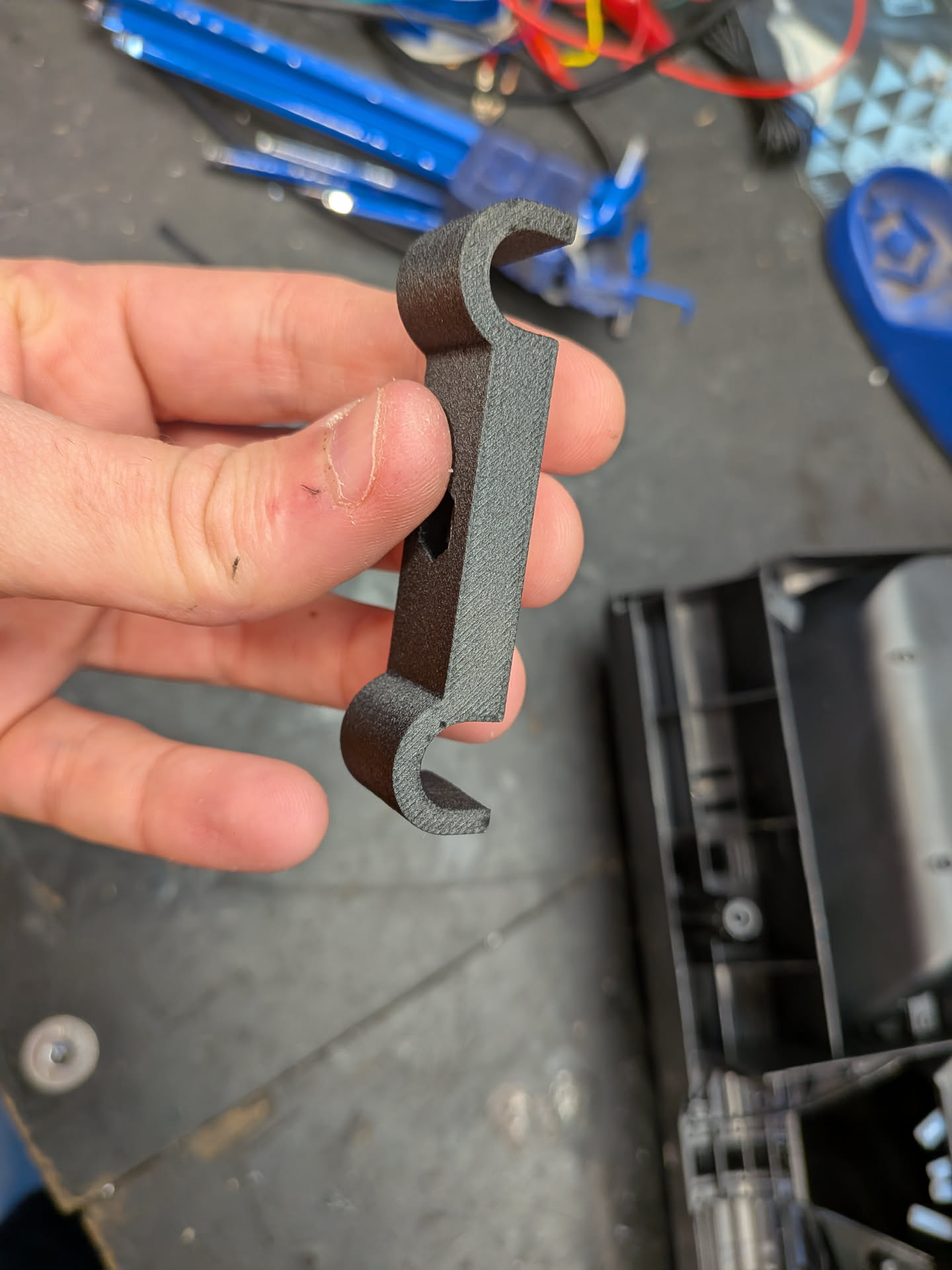
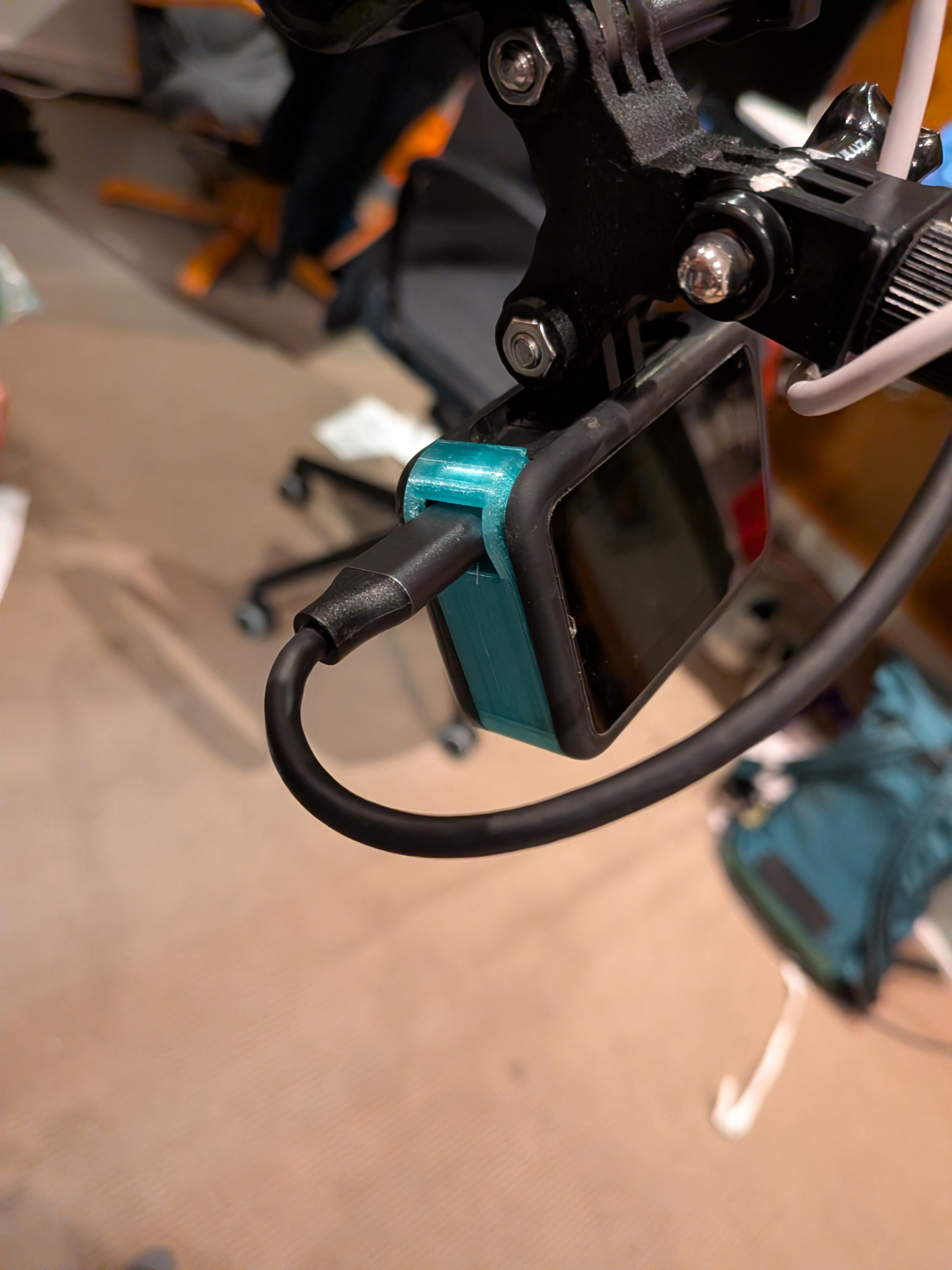
Finally we need to connect the USB cables to the GoPro. Normally the USB connector is hidden behind the battery cover. Leaving this uncovered will cause the battery to fall out. You can buy 3rd party covers that have a USB cutout. I attempted to buy one however when it showed up it was for the wrong GoPro model.
I ended up 3d printing my own cover as I was running out of time from I think this model.
Jousting
The next part is securing the cameras and getting good angles. In my commute streams I only use a single camera which looks forward. The easiest way for me to do this is to replace my bike light with a camera.
While this provides a decent view forward, if I did the same trick for a backwards facing camera, the angle looks horrible. So instead I wanted to move the cameras forward of the bike so the camera looking towards me is a bit more appealing and interesting. Moving the cameras to the front rack lowers the cameras too far and the selfie camera ends up with the same problem we were trying to avoid - along with having handle bars covering the field of view.
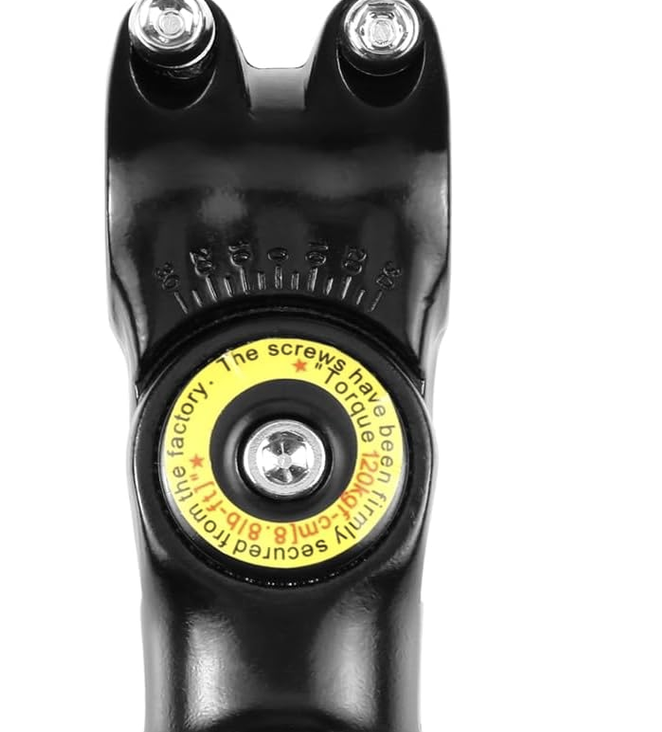
To solve this I used a Bullet Time GoPro Motorcycle & Bicycle Handlebar Mount. For some reason 360 cameras are now called “bullet time” even though thats not what “bullet time” is….
Although the handlebar adapter has a big warning that the screws have been torqued in the factory, by the end of the event I noticed I was able to easily move the mount +/- 10 degrees by hand. I did test that this was torqued before leaving - so I’m bit surprised it came loose. Something to keep in mind in the future.
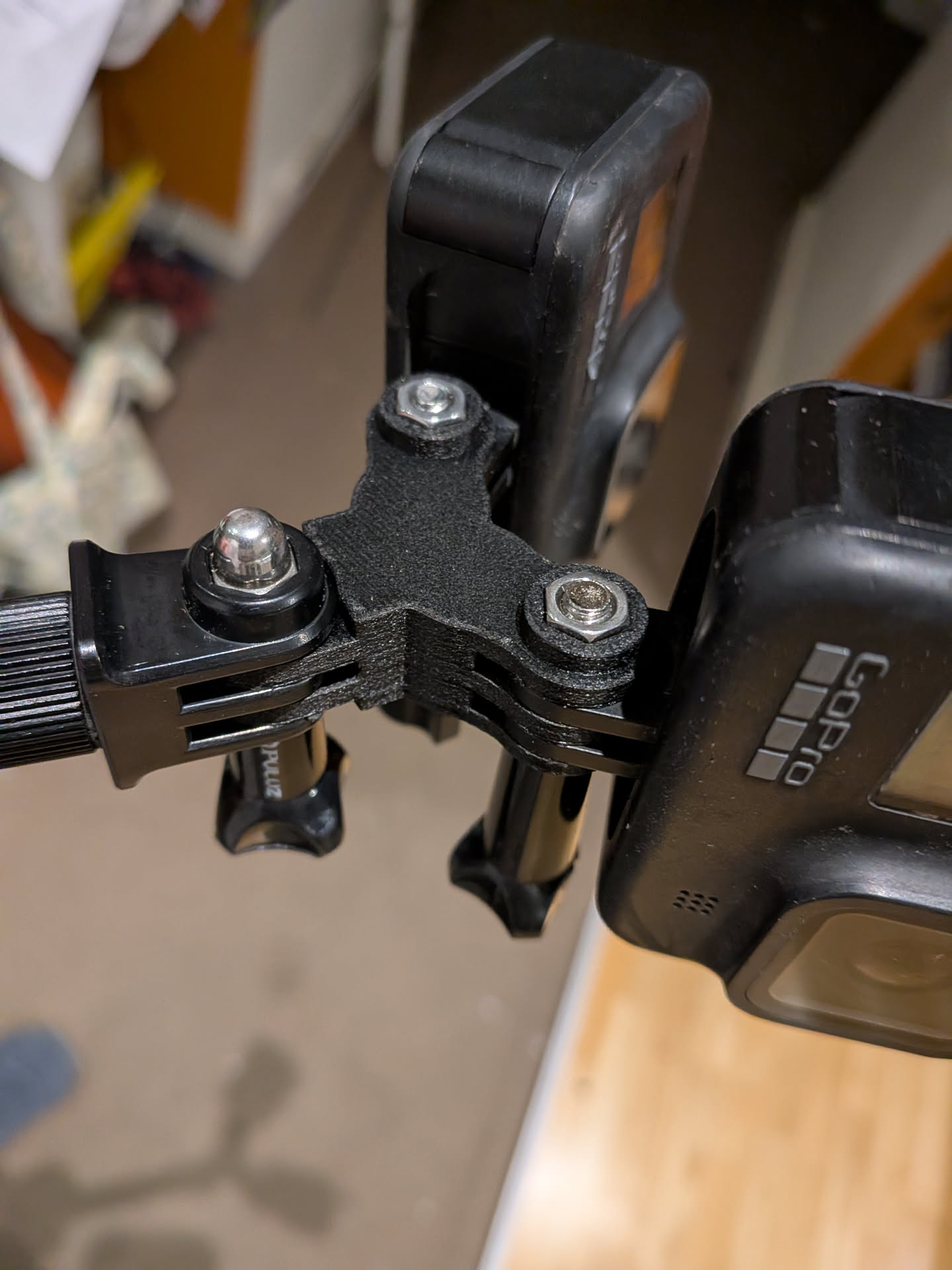
Since I needed to mount two cameras I went looking for a GoPro mount double adapter style thing, before realising I could just print one.
I used this model however it required some modification as the prongs are the wrong size. I haven’t printed this one but it claims to fix this problem.
Once I got all the camera angles correct, I added a witness mark using a paint pen so that if anything shifted or changed I could return it back to the correct position. I didn’t have any issues with the camera moving angle with the exception of the final Albert Park entrance where I hopped up onto a roundabout to pass some other cyclists and get some speed into the final section. You can see the shift in this picture I took after finishing.
Discord chat
A last minute (well last few days) addition was joining Alex’s Discord voice chat during the ride. Alex did The Classic 220km ride. I didn’t want to open mic the entire ride so I bought one of those Zello Bluetooth PTT buttons.
Getting this to work was harder than I expected. The button doesn’t act as a keyboard (so doesn’t work natively in Discord) but rather a custom BLE device. You need to subscribe to events from the BLE characteristic to detect changes in button states. Reverse engineering the Bluetooth part was easy, but trying to simulate a key hold down event was much harder. I tried keyboard, pynput, CGEventCreateKeyboardEvent, PyAutoGUI and other Python libraries however none worked. Well they worked - but not in Discord. Other apps detected the presses fine but Discord’s PTT detection never detected the presses.
I ended up installing Karabiner Elements which installs a virtual keyboard driver so the operating system sees what looks like a real keyboard. I modified the example code for interfacing with the driver to accept a basic command from stdin, then adjusted my python PTT code to pipe commands to that process. A gist of the code is here but it’s very hacky.
Even though the PTT system worked really well, it was never used as I switched to using Discord on my phone, due to the initial stream failure.
Checklists
This entire project has relied on checklists. I would print these out on labels and stick them to places so that I had to use/remove them before continuing. The night before, I had to make sure everything was packed and ready and batteries were charged. In the morning I needed to make sure any items that were charging were packed. The last thing I wanted was to do was something like leave my laptop at home as I wouldn’t notice until it was too late.
At the start line, I needed to start the hotspot, configure the cameras, start OBS, set sleep mode on the laptop, configure the vital/map overlays, start my HR monitor, etc…. Having a list to make sure that was all done in the correct order was important.
The result
Partial success. As mentioned above I was unable to get the stream started at the beginning of the event. I opted to fall back to direct streaming from the GoPro to Twitch, but I forgot the stream would be upside down. I had a quick break at the first rest stop to see if I could get the stream running through OBS.
This worked first go, but while doing this I accidentally stopped the Garmin activity, causing a new Live Track to be started, so stats showed the distance and map incorrectly. Additionally since I switched to Discord on my phone that meant that audio on the OBS stream wasn’t coming from my microphone and I had otherwise disabled the GoPro microphones to prevent double audio. At the second rest stop I fixed this by enabling a GoPro microphone, but this caused a bit of a one way conversation effect with the Discord users.
Regardless I’m pretty happy that I was able to get it to mostly work. As you hopefully understand, there’s a lot of moving parts to get working and with illness I didn’t really have a chance to do more testing.
Even if it didn’t work, just doing the ride is enjoyable enough. Not sure what event I’ll do next year. If its a shorter ride, I might try to stream it again. Now that I have a streaming setup that works, I can also do this on other rides, not just Around the Bay.
Strap in, this story involves a cheese fortune teller, the department of war, and nearly every other government department in between.
In 2017 (I think?) I was introduced to weather balloon hunting by Mark VK5QI. At the time the Australian balloon chasing community was small. Only Melbourne and Adelaide radiosondes (the transmitter on weather balloons) were being tracked on a website called Habhub - high altitude ballooning hub. This site was designed for amateur balloons and not meteorological weather balloons.
Over time more and more radiosondes were tracked on Habhub and eventually Habhub admins introduced a default filter that removed weather balloons by default. A query parameter could be added to the URL to remove the filter and on 12th of May 2018 sondehub.org registered with a single purpose - a URL redirect to Habhub with a radiosonde specific filter. To be clear - this was more of a joke than a decision to run a radiosonde tracking service. You’d go to sondehub.org and it would redirect you to habhub.org. That was it.
However Habhub was never designed for so many unique balloons each day. By July we decided to start proxying radiosonde ingestion data through SondeHub. This allowed us to capture more data as well (no longer rate limiting our selves). This went to a seperate OpenSearch cluster, however at this stage we didn’t use or expose this data. I was using this more as a toy - to play around with different Amazon Web Services (AWS) services and analytics platforms.
By 2019 the Habhub servers were really struggling - aprs.fi as well. We realised that we needed to run our own service and our initial plan was that we would build new APIs, and eventually new frontend. We then started getting information requests from government agencies regarding radiosonde data. For example we received a request regarding an insurance claim about a radiosondes hitting a horse, causing it to bolt through a fence. One of the reasons for this is because unlike official software at the time, our system tracked the radiosondes all the way to the ground.
Also in 2019 we detected a drop in radiosonde launches. This lined up with the GPS rollover date - we thought our software was broken however it turned out to be issues with Vaisala’s equipment which prevented launches from occuring. Funnily enough our software handled the rollover ok.
In 2020/2021 we ended up doing was building backwards compatible APIs for the Habhub frontend and started testing the Habhub frontend pointed at our backend. It mostly worked. We started receiving all the data rather than just partial data and providing open access to our data via S3. We even started running our own predictor - which is used by my entities today.
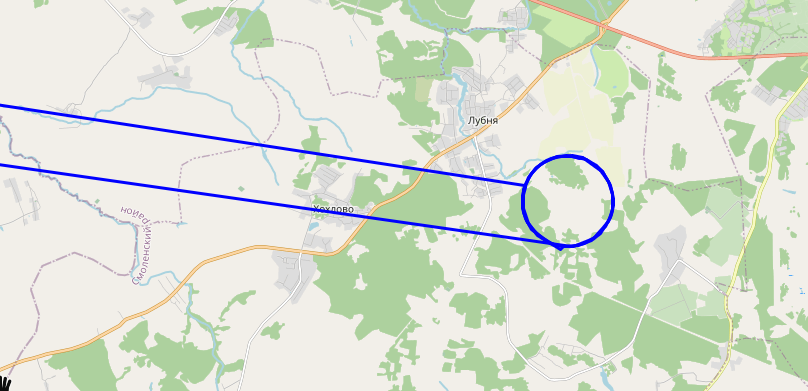
With our own predictor running Mark developed a system we call reverse predictions. This is where we take data from an already launched radiosonde and use the wind model to run the predictor backwards which determines a rough the launch location prediction. It works extremely well. We could detect a bunch of radiosonde launch sites that were poorly otherwise documented along with start assigning balloons to launch sites.
Our first taste of dealing with the military
Then in 2021 we received an email
sensitive/military/… installation. As such, we really prefer that it is not explicitly marked on any map.
The thing is though that wind data isn’t just used for predicting the weather. It’s also used to calculate artillery ranging. What we had started doing is accidentally mapping out artillery sites. We decided to keep reverse predictions but we delete launch sites on genuine requests.
The reverse prediction system has also detected many number of military vessels in the ocean.
Lots more development happened on SondeHub with features like websockets and MQTT for live feeds. We disconnected Habhub backend from our proxy and with grant funding from ARDC we were able to setup a prototype amateur high altitude balloon version of SondeHub.
Eventually Habhub was shutdown due to a lack of maintenance and we rushed together to migrate what we could to SondeHub.
$439,000 missile vs party balloon
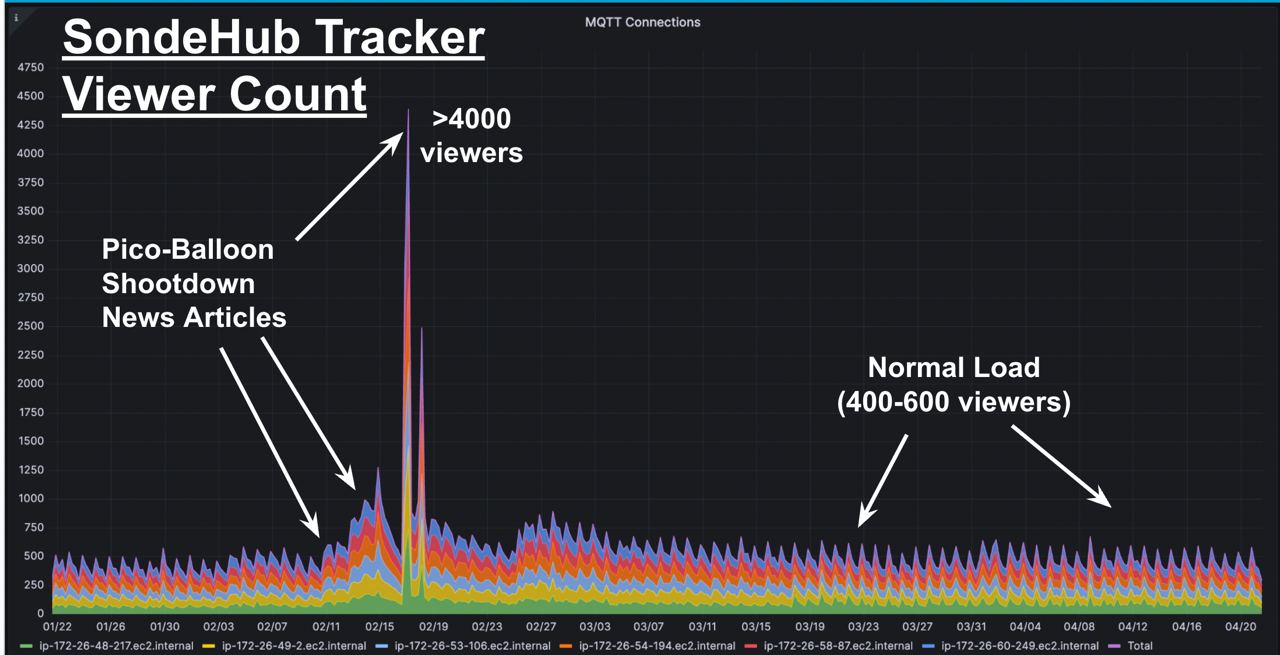
All was going fine until the 2023 “China spy balloon” incident. SondeHub had a lot more traffic - but our architecture made it fairly manageable.
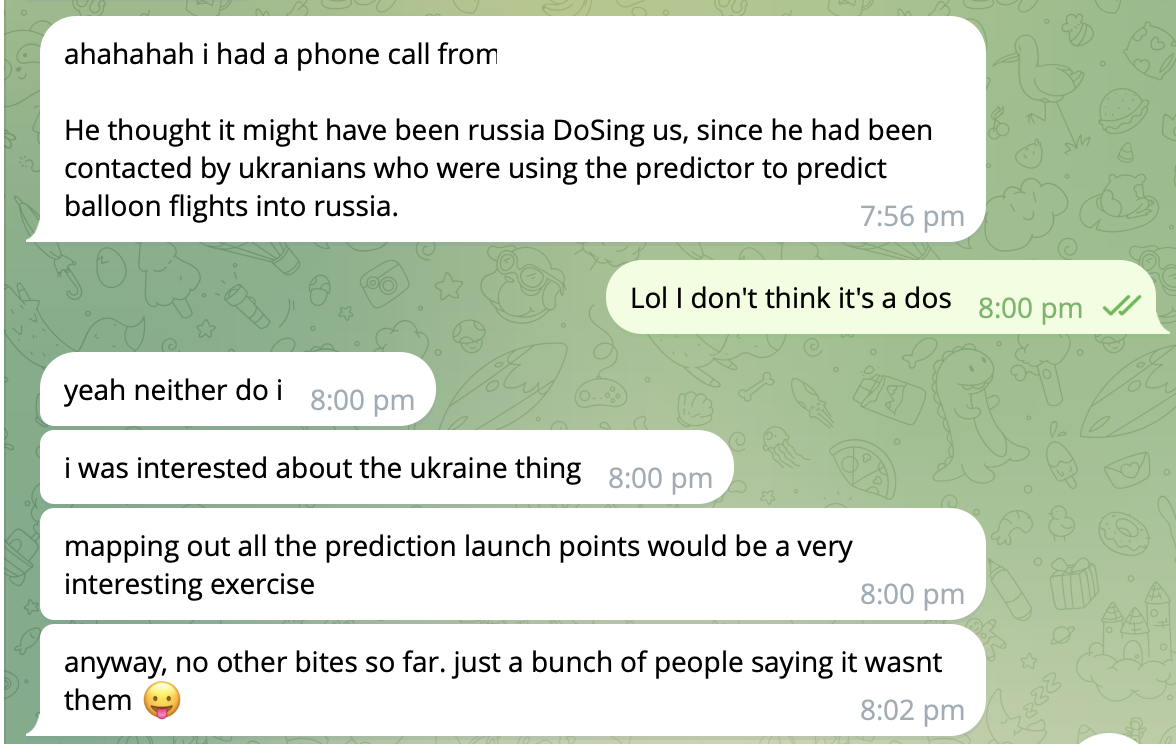
Then Feb 11th 2023 the US allegedly used AIM-9X Sidewinder to shot down an amateur radio balloon. That morning I woke to high usage alarms in my inbox. SondeHub had been linked to on the Washington Post. Our site managed to handled the extra traffic reasonably well.
Since then we’ve many support requests from .mil and .gov addresses. We’ve also had requests from aviation industry / air control towers.
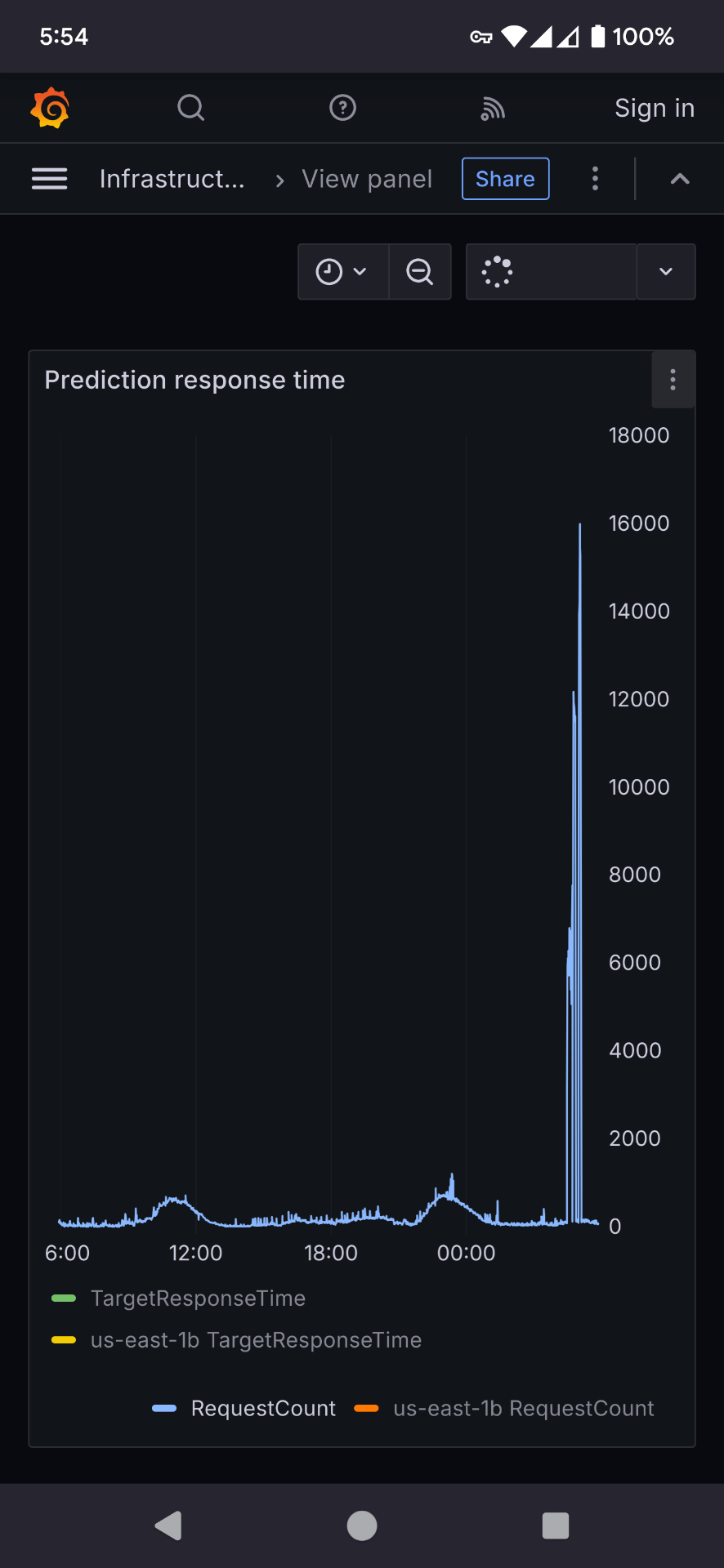
In Dec 2024 - alarms in my inbox again. This time getting alarms for predictions. Someone decided to smash our api. This seemingly starts happening every week.
Full scale invasion
We turn on logging. The requests coming from a single IP. We had some suspicions that a private company was using our backend to generate predictions. We poke their website to see - sure enough they are - an angry email to them. However they weren’t the problem.
We ask some people.
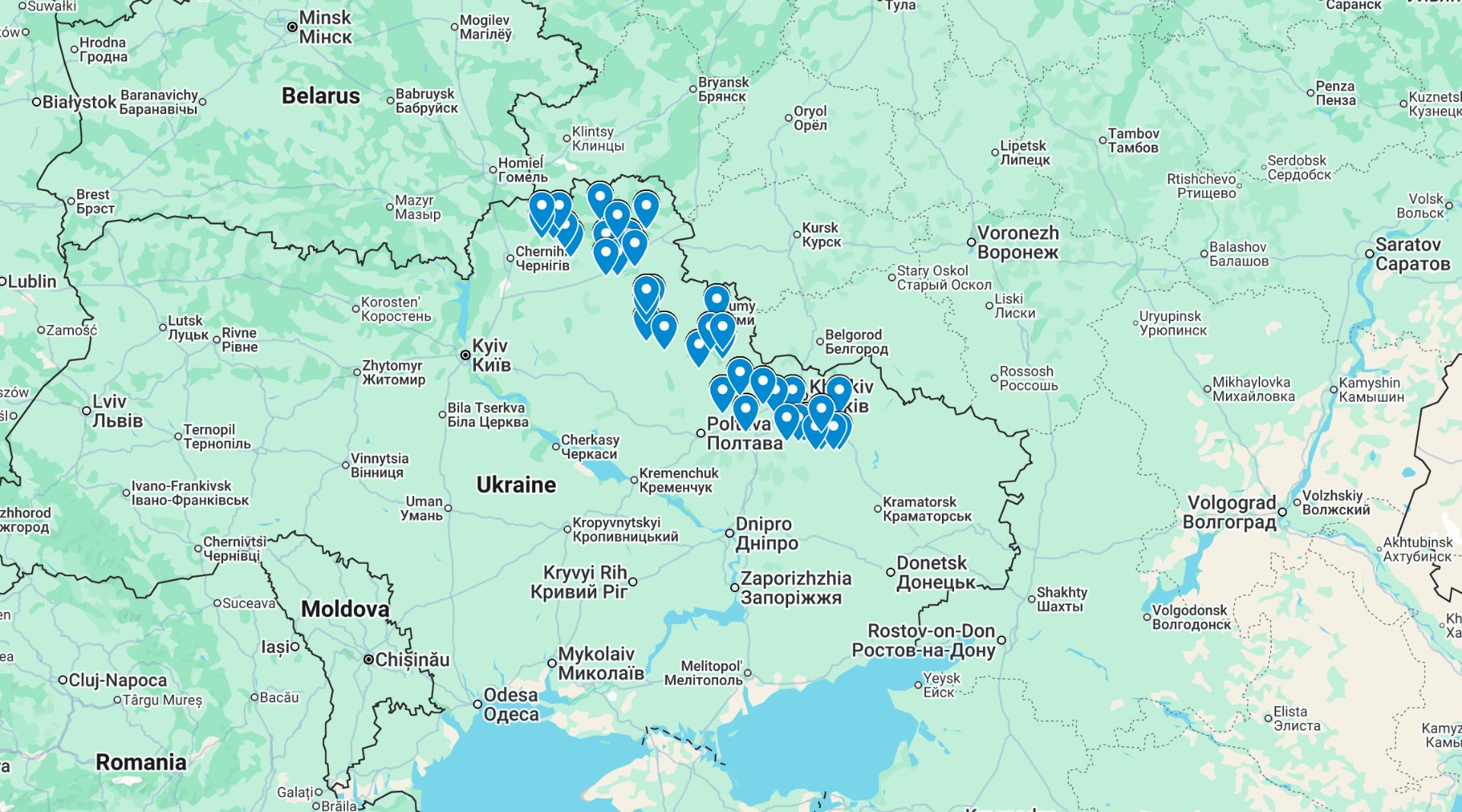
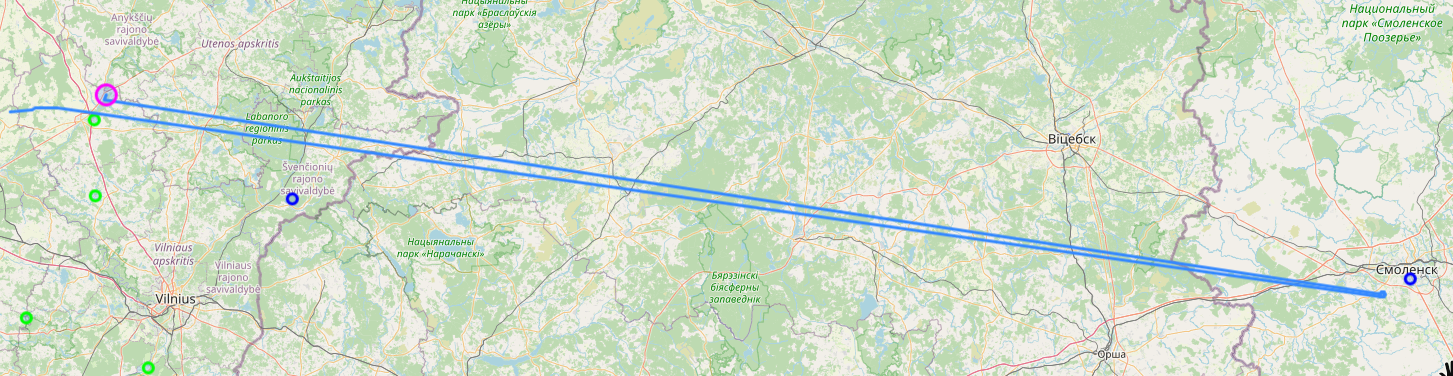
Lol. Totally not the case. Right? Probably just an AI LLM bot scrapper gone crazy. Lets plot some predictions.
Note that the precision of these points has been intentionally been reduced. This data is also significantly old and does not show the entire dataset. This blog post has been delayed until balloon warfare was more common knowledge.
Fuck. And Fuck Russia.
(for time travellers and people in the future - in 2022 started a “special military operation” - aka a full scale invasion into Ukraine. The war continues at time of writing. Fuck Russia)
Suddenly my mind was filled with ethic and legal questions. We also suspected they aren’t using the API correctly. However we didn’t know how to get in contact.
We did eventually got some messages out via a contact
“We work with mHAB’s as you know, but some other groups likely fly fixed-wing and use Sondehub to help them “surf” the sky to target areas.
“Sent this in Ukrainian to a few milchats and will see what turns up:
“I wish everyone good health. If anyone knows of a deep strike team that uses a python script with some open source wind forecasting engine, please contact me directly. They are causing numerous problems with queries, which can lead to them being blocked and they need to take action to be able to continue using the prediction system.””
I also quickly rushed together a docker compose file so anyone could quickly run their own predictor that wasn’t reliant on us.
Meanwhile (and you might have noticed me asking for AWS help on fedi) we contacted AWS as the source IP was from an AWS network. It was very important however to make sure the AWS support did not shutdown access.
Our messaging included:
It is incredibly important that the http request data is not distributed. It is also important that the source AWS account is not blocked, rate limited or terminated - loss of life could occur.
Something that I thought I’d never have to write in support emails. The messaging was important because I did not want the service cut off, and I did not want the data to reveal launch sites.
After a bit of waiting we received:
AWS reached out to me that a lambda function of mine was flagged for potentially scraping api.v2.sondehub.org and they told me to reach out to you to get this resolved.
We emailed back and forth and provided documentation on how to run the predictor locally.
Office of the Secretary of War (Intelligence and Security)
In 2025 we received a request for data from the “Office of the Secretary of War (Intelligence and Security)” (US). Generally if there’s mutual community benefit we’ll find, process and release the data for free. However given this is was the Department of War and no expected community benefit we decided they should pay for the data. I was hesitant even working with them, as I don’t really want to help military, let alone the US - but since our data is public if we didn’t do it someone else probably would. So my reasoning shifted to, may as well extract some funds to pay for SondeHub infrastructure at the very least.
An invoice was created and sent through - but never paid or followed up on. I have no idea why they were requesting the data or what it was about.
Other tidbits along the way
It hasn’t just been the military that we get emails from. Occasionally citizens who find radiosondes end up contacting us (often we don’t know how they even find us), along with a range of other organisations.
National Transportation Safety Board (US)
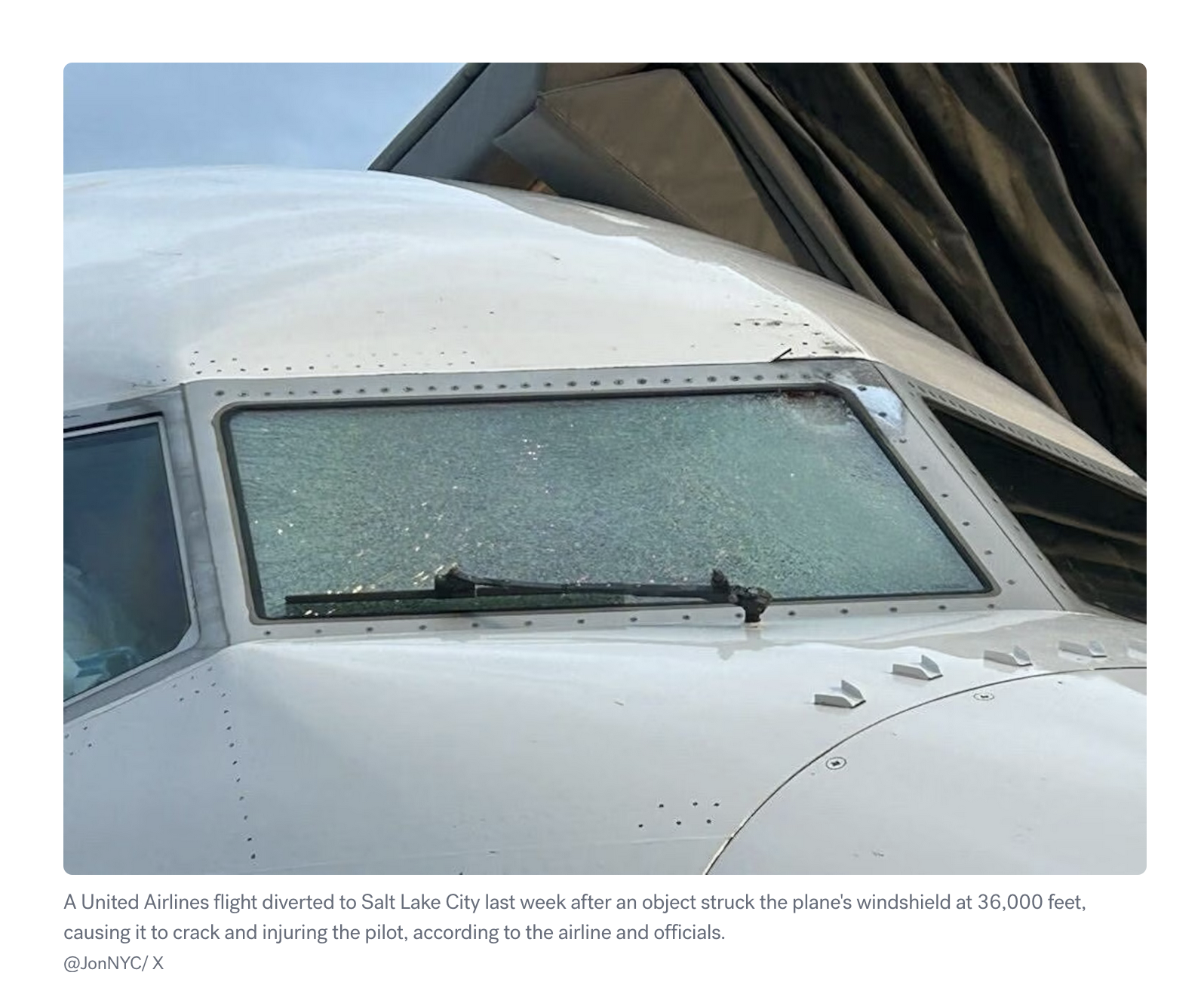
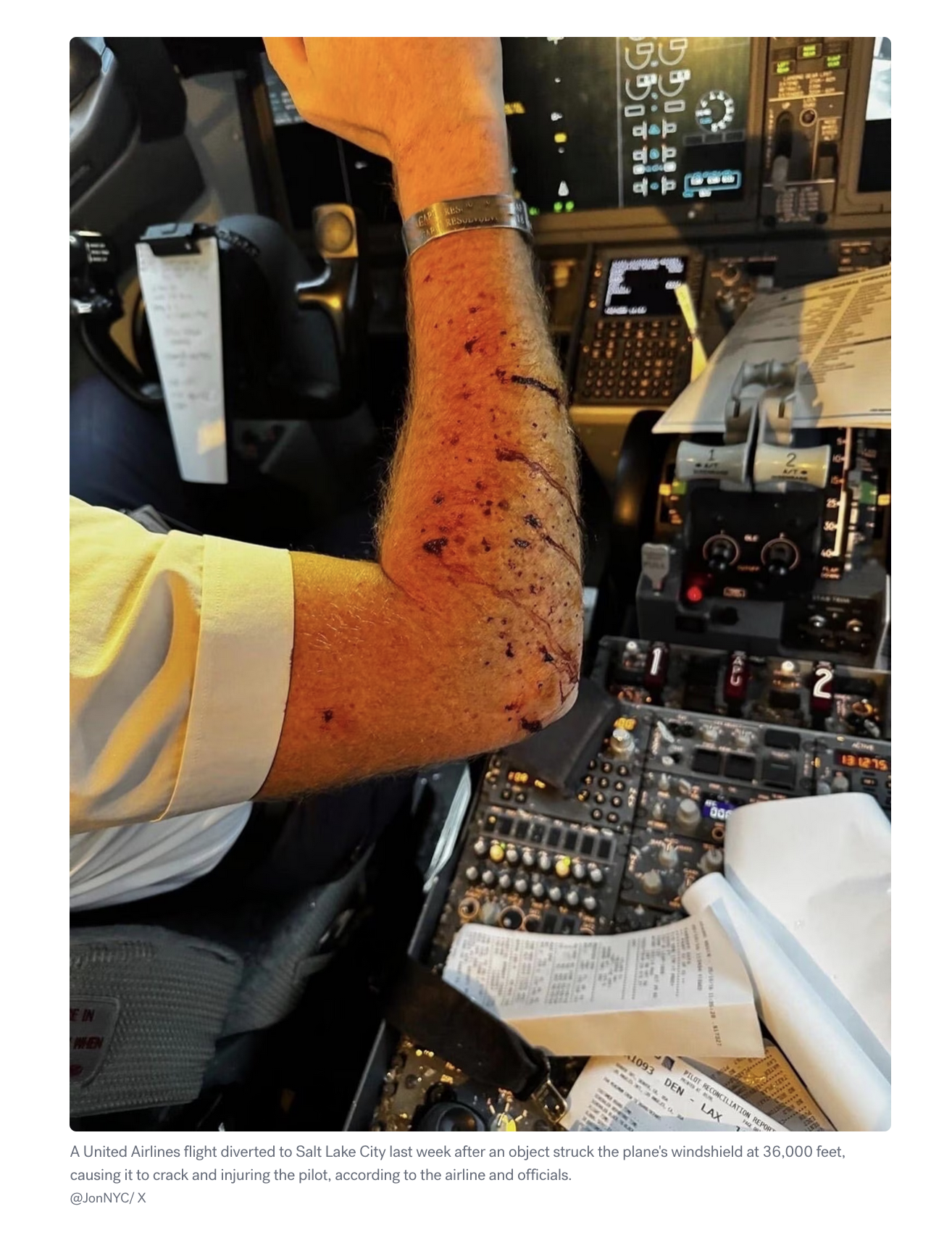
In September 2025 the NTSB contacted us. My first reaction was to search for news stories.
do you have information on any balloons in the Utah are between 1200 and 1300 UTC on 10/16/2025
We provided our data but also started hearing some rumours about a possible plane / weather balloon collision that was reported via ACARS. While none of the balloons tracked by SondeHub lined up, we did forward some information that a Windborne balloon was in the area. Windborne later confirmed this was the likely collision and have made several changes to their system to prevent future issues.
We have a number for you to call when you’re ready to copy
Please contact us as soon as practicable with more information… Contact our Operations Manager at
This was a really strange interaction for us. A tower(?) operations supervisor was requesting information about balloons in the area. The balloons in question were meteorological weather balloons. Not launched by amateurs. We had to explain that they are normally scheduled, not controlled, and fall (probably, not a lawyer) within Part 101.D of FAA regs. Along with that we didn’t have contacts or registration details of these launches.
We have a lot of Aircraft in the sky that don’t want to get too close to one of these balloons! Is there any way to coordinate more directly with the controlling entity, or to have them give us mission details and contact information ahead of time? It sounds like you guys have a big operation, I don’t know if this is a one off event or if you have systems in place to communicate these things
Explaining to the FAA that weather balloons exist wasn’t on my bingo card.
Hit and run
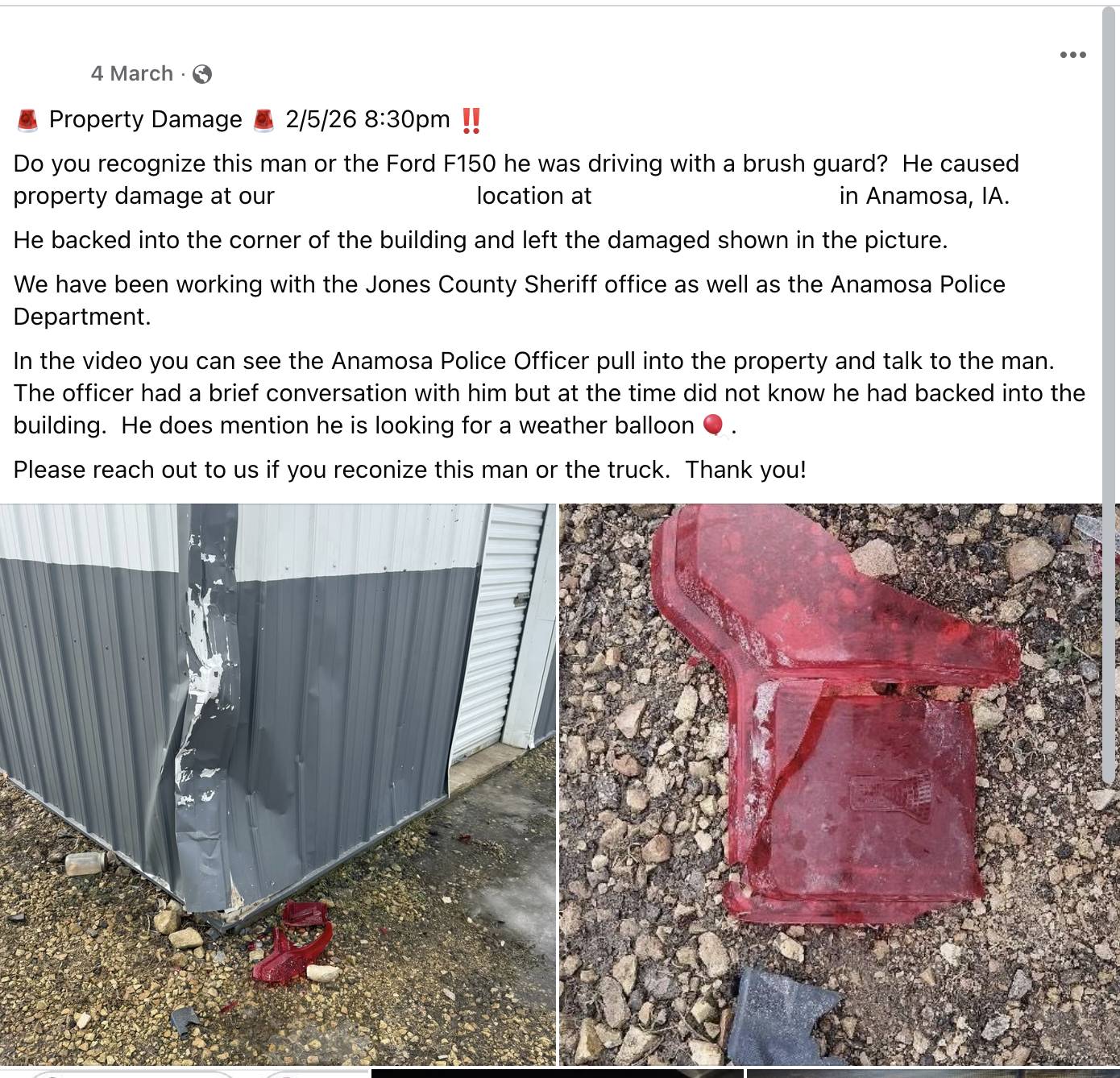
On 2/5 around 8pm was there a balloon located in Anamosa Iowa?
Someone recovered a radiosonde from a property but ran into a building along the way. They left without leaving a note. The property owner contacted us for help to locate the person.
Jam, tasty tasty jam
There’s a great site that uses ADSB data to track GPS jamming called gpsjam.org. We’ve also been detecting not only a lot of GPS jamming but also GPS spoofing. I always find the patterns interesting. I’ve been presuming that the pattern is either for making the impacted targets easier to identify or to crash the vehicle in a specific way?
The cheese fortune teller and other job titles we’ve seen over the years
Probably the most interesting job title we’ve had the pleasure of reading in an email is from Jennifer Billock, Freelance Writer and Author, Certified Tea Specialist, Cheese Fortune Teller. Jennifer wrote an article for STNDRDS about weather balloons which is outside our usual places of exposure.
During this time we’ve seen many job titles and subjects, I’ve started collecting them.
[SEC=🌶️🌶️🌶️]
Naval Air Warfare Center – Aircraft Division
Maritime Patrol and Reconnaissance Aircraft (MPRA) Program
Acquisition Program Manager
Integrated Processes Branch
HQ AFRL/XPOP
Upper Air Quality Assurance Meteorologist
Observing Systems & Operations, Data & Digital Group
Senior Advisor for Safety and Quality
Meteorologist
Weather Forecast Office
Manager Upper Air Network
General Manager Observing Systems and Operations and Chief Engineer
Meteorologist
National Weather Service
Field Research Manager, Center for Western Weather and Water Extremes
Video Journalist, Visual Investigations - NY Times
Senior Meteorologist, National Transportation Safety Board
Operations Supervisor
U.S. Department of Transportation/FAA
SUNY Oswego Lab Technician Atmospheric and Geological Science
SpaceBalloon Project
Any many more
The weird
Most organisation and vendors are willing to work with us. This is because chasing radiosondes removes them from the environment and promotes citizen science. I asked “Meteolabor AG” for one of their radiosondes so that we could confirm compatibility. This is what I received back.
Official response from Meteolabor AG:
For strategic reasons, we do not provide any data or sample devices. Our transmitters shut down after a certain period of time, at the latest when the battery capacity is exhausted. This is due, among other things, to strategic considerations.
We are aware of the so-called waste problem.
Personal comment:
I would personally like to draw attention to military activities, particularly in the Middle East, which result in significantly (exponentially) more waste and toxic substances being released into the atmosphere and left lying around in the environment – or entering the food and water cycles
In addition to military operations, countless “missions” are currently being flown over Europe with the aim of leaving “contrails” in the sky [rather “chemtrails”]. I know their purpose; I know what NetZero is supposed to achieve, and what decarbonization and CO2 reduction are intended to accomplish. I am well-informed about the climate hoax.
Start there! The people to talk to are politicians, NGOs, and very wealthy old white men.
Which is… certainly something.
Onwards
I hope you liked this selection of SondeHub chaos. I haven’t included every interaction we’ve received over the years, so there might be a part 2 to this post in the future.
While taking some rubbish down I spotted a Cricut Maker in e-waste. A quick look at it revealed that the it was in fairly good cosmetic condition with the exception of the rollers being perished. I guessed that the rollers were the reason why the unit was trashed and decided to take it back home to investigate. I knew that Cricut were pretty aggressive with disabling/locking machines, but I gathered it would still be worth playing around for some fun. As it turns out this machine was locked, which was pretty expected. However with some hacking I was able to return it to having full functionality. It’s very likely that the last user either received a warranty replacement or a discount on a newer model.
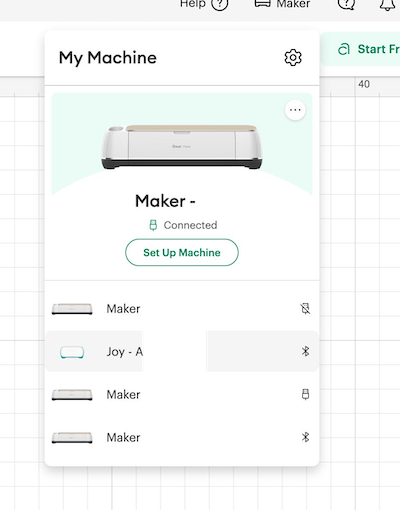
Alex did some quick searching and found that replacement rollers were readily available for very few dollarbucks. Even with powering the machine off 12v instead of the apparently required 18v, it showed signs of life with it passing it’s self test and communicating with the software - although showing the dreaded “Machine deactivated” message when connecting to it.
The first approach I thought I’d investigate is if there was an eeprom on the motherboard that I could rewrite the serial number. Disassembly isn’t for the fainthearted - it’s involved but I would need to do this to replace the rollers regardless. I didn’t find any eeprom and the MCU being used is something I didn’t have a debugger for.
My second thought here was to intercept the network connection and either replace the serial number or return a success message instead. However various application security measures made it more annoying than I wanted to disable certificate pinning. That’s not to say you can’t - it’s just I didn’t figure out how to do this trivially.
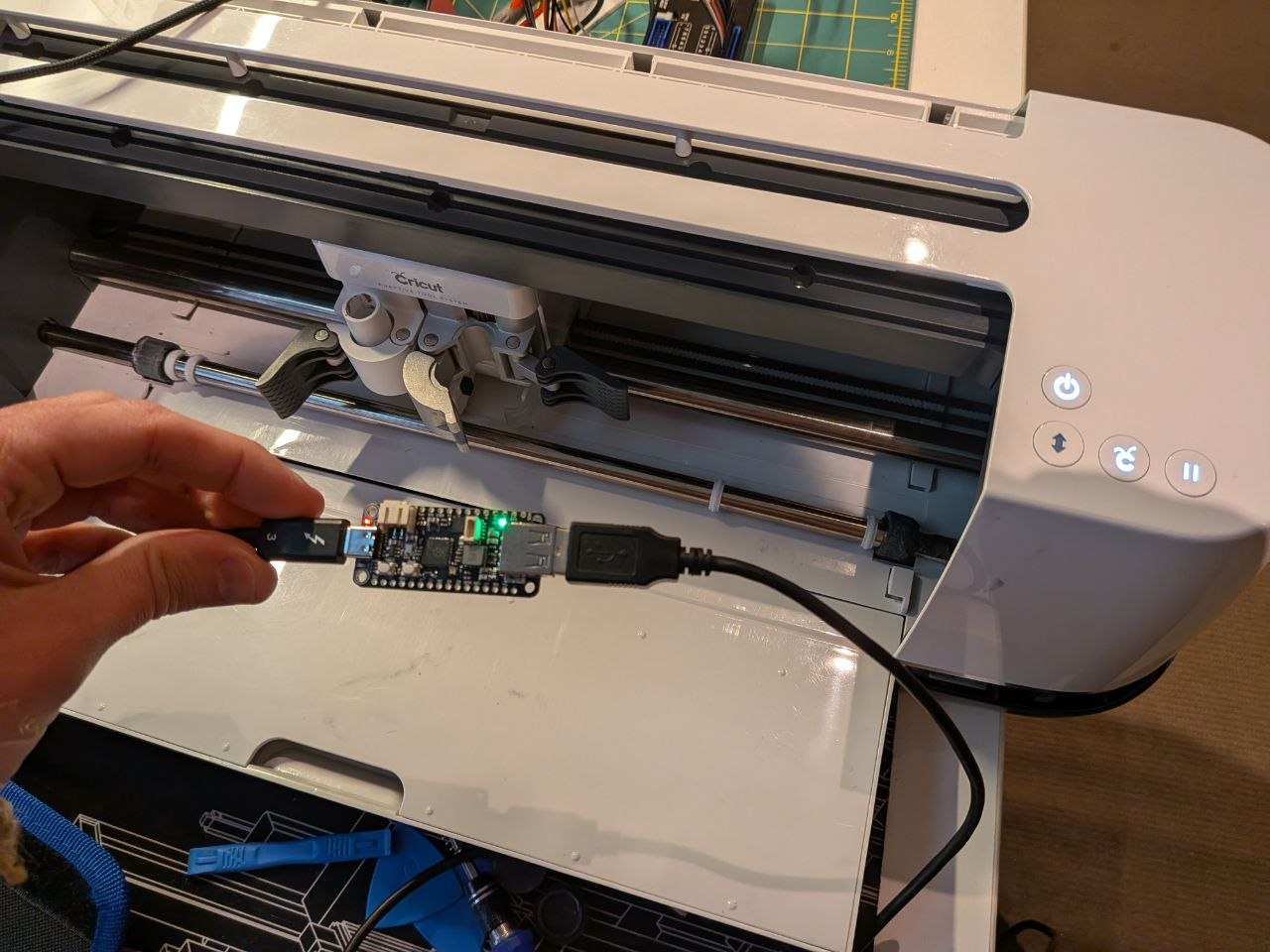
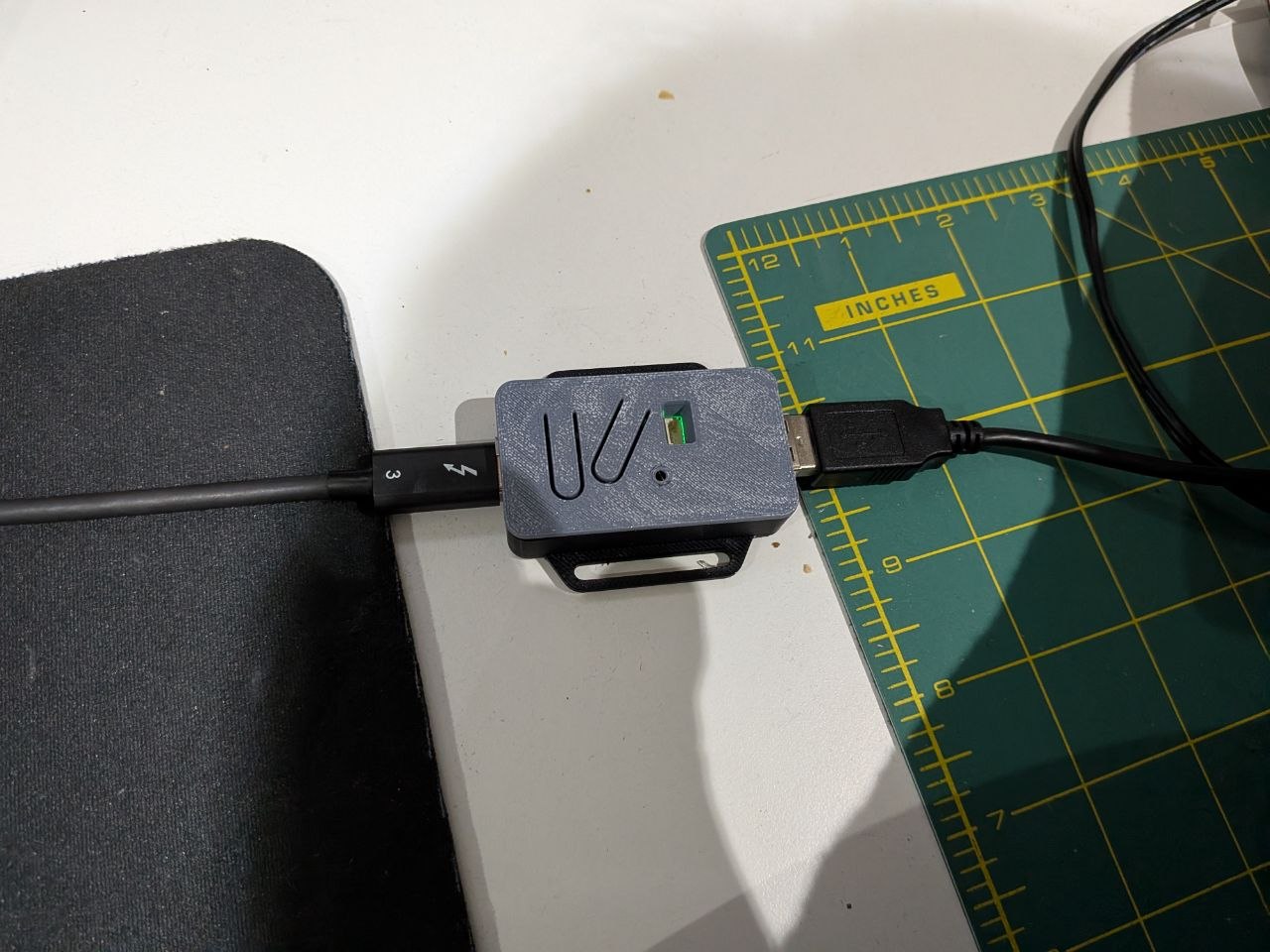
My focus changed to performing a intercept on the communication between the cutter and computer itself. I fired up wireshark to capture USB messages between the Cricut and my machine. It uses USB CDC for communication and very quickly I found the packets responsible for sending the serial number. There didn’t appear to be any checksumming or crypto. So I borrowed a RPi RP2040 from Droppy which was able to act as both USB Host and USB Client.
Using the TinyUSB Arduino examples for USB Host and CDC simple echo, I was able to cobble together a simple proxy/rewriting device. There was nothing to special about this, however it did take me a little while to figure out that the USB Host doesn’t work correctly unless overclocked to 240MHz. I also configured all the USB metadata like vendor/product id and descriptions to match the unit. When it detects a packet from the cutter that matches the right length, and has the command / serial number in it, it replaces it out with a different serial number. Serial numbers seem to be issued sequentially and you can see the status of all the units on Cricuts own webpage.
With the rewriting device replacing out the serial number at a hardware level the software is none the wiser. The unit shows up in my account. I could even register serial numbers that didn’t exist on the Cricut machine status page.
Obviously this raises the question about random strangers being able to get other users Cricut serial numbers locked out or added to their accounts….
After cleaning up the unit, replacing the rollers (hint, use hot water to soften the new rollers to install them), reassembling the Cricut and printing a little case for the RP2040 - I was able to use the unit as if it were brand new.
The approach I took to return this Cricut to functioning is probably the least user friendly way however, as I believe software only solutions exist. Some alternatives that come to mind are:
Intercept network traffic or patch the application to report a different serial
Write a driver that pretends to be a Cricut USB CDC connection and proxies the serial
Write a driver that pretends to be a Cricut USB CDC connection but connects to the Cricut via Bluetooth
Figure out the firmware update process and utilise that to patch the serial number as part of the update
A device that acts as a bluetooth proxy
Add another MCU between the bluetooth chip and the Cricut MCU to rewrite the serial number before it goes to the bluetooth chip
I’m not going to investigate any of these because I have something that works for me, but those are all viable options to explore. Additionally I’m not going to share the code required to perform the serial number change as this might not be exempt in Australian Copyright law (not a lawyer ect….), but it’s pretty close to the included examples in the TInyUSB Arduino library